EasyManua.ls Logo

APW Wyott M95-2-JIB - User Manual

APW Wyott M95-2-JIB
12 pages
Print Icon
To Next Page IconTo Next Page
Loading...
R
Phone: +1
Fax: +1 (214) 565-0976
Toll Free: +1 (800) 527-2100
Website: www.apwwyott.com
E-mail: info@apwwyott.com
(214) 421-7366
INSTALLATION
AND
OPERATING INSTRUCTIONS
INTENDED FOR OTHER
THAN HOUSEHOLD USE
RETAIN THIS MANUAL FOR FUTURE REFERENCE
APPLIANCE MUST BE KEPT CLEAR OF COMBUSTIBLES AT ALL TIMES
P/N 70200001 3/06
1
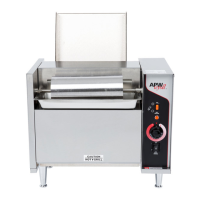
CONTACT BUN TOASTER
APW WYOTT
729 Third Avenue
Dallas, TX 75226
This equipment has been engineered to provide you with year-round dependable service when used
according to the instructions in this manual and standard commercial kitchen practices.
Initial heating of appliance may generate smoke or fumes and must be done in a well ventilated area.
Overexposure to smoke or fumes may cause nausea or dizziness.
FOR YOUR SAFETY: Do not store or use gasoline or other flammable vapors and
liquids in the vicinity of this or any other appliance.
!!
WARNING: Improper installation, adjustment, alteration, service or maintenance can
cause property damage, injury or death. Read the Installation, Operating and
Maintenance Instructions thoroughly before installing or servicing this equipment.
!!
ANSI/NSF4
(800) 733-2203
24 Hour Service Hotline
Model:
M95-2-JIB

Questions and Answers

  • T
    tchambersJul 30, 2025
    What to do if my APW Wyott M95-2-JIB Toaster has no power?
    • M
      Mark DeanJul 30, 2025
      If your APW Wyott Toaster isn't getting power, there are a few things you can check: * Make sure the power cord is properly connected to the receptacle. * Verify the power switch is in the ON position and working correctly. * Inspect the circuit breaker or fuse to ensure they are functioning correctly.
  • A
    Anthony PearsonAug 4, 2025
    Why won't my APW Wyott M95-2-JIB Toaster toast the buns?
    • P
      pettycarolynAug 4, 2025
      If your APW Wyott Toaster buns aren't toasting, here's what you can check: * Increase the temperature setting and allow the toaster to complete two cycles to warm up. * Ensure you are using fresh buns. * Check the conveyor adjustment if there's excessive cupping of the bun surface. * Verify the bun cut meets the bun specification.
  • S
    Scott FreemanAug 11, 2025
    Why are my APW Wyott M95-2-JIB buns sticking to the grill?
    • M
      Mary GomezAug 11, 2025
      If buns are sticking to the grill of your APW Wyott Toaster, it could be due to a few reasons: * The dough might be too moist, in which case you should reduce the grill temperature. * There may be excessive sugar buildup on the grill surface; clean the grill according to the instructions. * Allowing the buns to age may also help.
  • K
    Karen RileyAug 16, 2025
    How to fix uneven toasting in APW Wyott M95-2-JIB Toaster?
    • C
      Christopher EricksonAug 16, 2025
      If your APW Wyott Toaster is toasting buns unevenly: * Adjust the conveyor tension if there's excessive cupping of the bun surface. * Try using fresh buns.
  • B
    bfritzAug 23, 2025
    What to do if the conveyor will not turn on my APW Wyott M95-2-JIB?
    • S
      suttondebbieAug 23, 2025
      If the conveyor on your APW Wyott Toaster won't turn, check the following: * Ensure the drive gears are properly aligned and engaged. * Verify that the set screws are tight and tighten them if necessary.

Summary

Safety Precautions and Instructions

Important Safety Instructions

Critical safety guidelines to prevent personal injury and equipment damage during operation.

Safety Symbol Definitions

Explanation of hazard alert symbols (Danger, Warning, Caution, Notice) used in the manual.

General Information

Installation Procedures

Examine Carton for Damage

Instructions for inspecting the unit upon delivery for any shipping damage.

Verify Parts

Checklist for confirming all necessary components are included after unpacking.

Assemble Legs

Steps for attaching the adjustable legs to the base of the toaster.

Conveyor Installation

Procedure for correctly fitting the conveyor assembly into the toaster unit.

Location and Operation

Location

Guidance on placing the toaster in a suitable and safe operating area.

Operating Instructions

Step-by-step guide for seasoning, heating, and toasting buns.

Cleaning and Maintenance

Disassembly for Cleaning

Instructions for taking apart the toaster to facilitate thorough cleaning.

Daily Parts Cleaning

Routine cleaning procedures for removable parts like the roller and pan.

Daily Conveyor Cleaning

Method for cleaning the conveyor belt and ensuring its smooth operation.

Daily Griddle Cleaning

Steps for cleaning the toasting surfaces and maintaining optimal performance.

Troubleshooting and Diagrams

Troubleshooting Guide

Common issues, their causes, and recommended solutions for operational problems.

Wiring Diagram

Electrical schematic illustrating the internal connections of the toaster for service.

Parts List and View

Exploded View of Parts

Visual representation of the toaster components with corresponding numbers.

Warranty Information

APW Wyott M95-2-JIB Specifications

General IconGeneral
BrandAPW Wyott
ModelM95-2-JIB
CategoryToaster
LanguageEnglish

Related product manuals