Connecting to Power
English 06
1
2
3
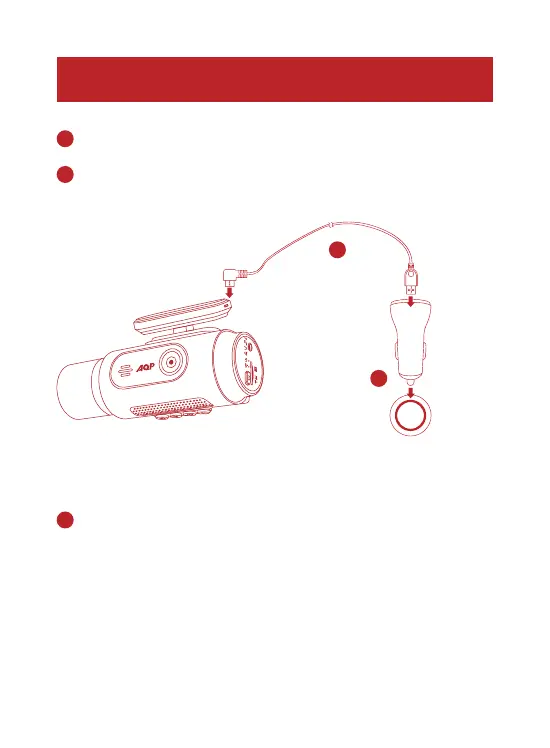
Connect the car charger and DashCam by using the charging cable.
Plug the other end of the car charger to your vehicle’s cigarette lighter socket.
Once the car engine is started, DashCam will automatically power on and
start recording. Once the car engine is shut down, DashCam automatically
saves the recording and turns off within 3 seconds.
2
2
3
1
1
DUAL CAMERA



 To Next Page