19
Initialization settings
If you accidentally scan other function setting codes during use, the
function cannot be used normally, and can be restored to the initialization
state by scanning the initialization barcode.
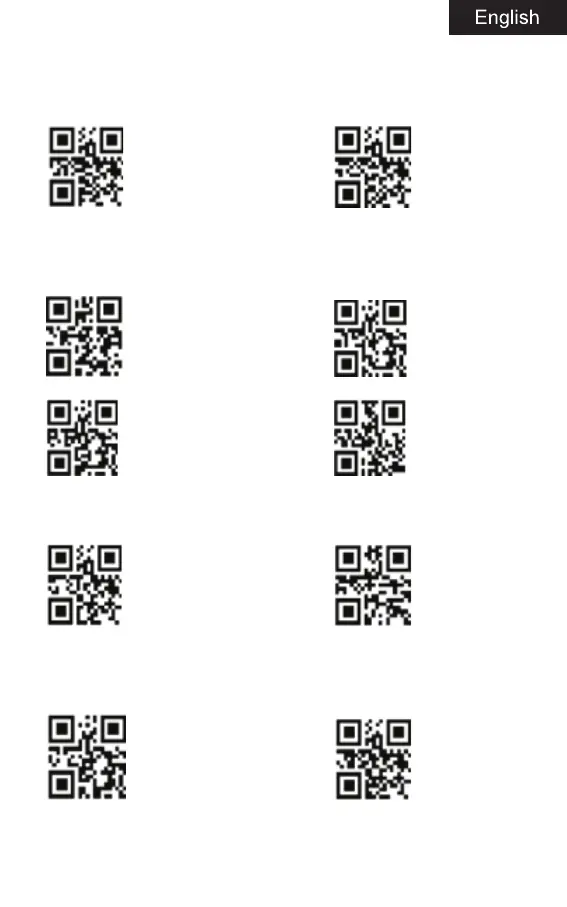
Factory default setting Setting to default mode
Communication mode switching
Select the desired communication mode (mode 4 is selected).
2.4G mode Bluetooth HIP mode
Bluetooth SPP mode Bluetooth BLE mode
Battery level display
Battery display Display version information
Sleep time setting
Select sleep time interval barcode
Sleep time 30s Sleep time 60s


 To Next Page