Operation
Press the power switch on the handle and the machine starts working.
Press the power switch again to switch between the settings.
Low mode→ High mode → Shutdown
Note:
Air-inlet must be kept unobstructed, otherwise it will cause overheating of the motor.
Note:
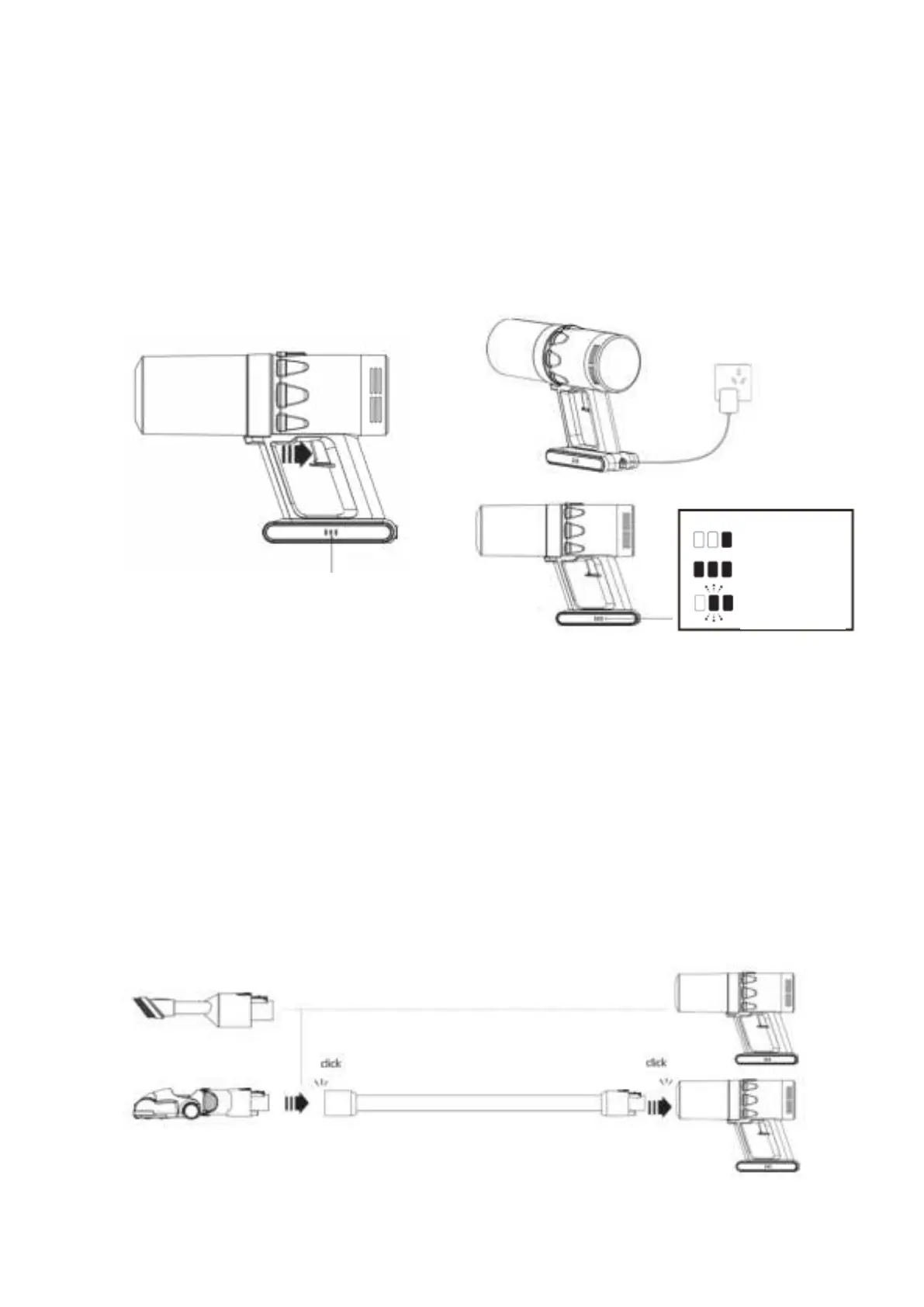
the battery indicator light shows the battery power. When the indicator light is out, the
battery is empty and the machine stops working.
Charging
Connect to charger either directly or in the wall holder. The blue LEDs will flash on and off during
charging. When the battery is charged, the blue LEDs stay on.
Note: Pull out the plug, before using the machine again.
How to install the accessories
1. Insert the tube into the nozzle of the handheld vacuum cleaner firmly (in the middle of the dustbin).
Please make sure that the tube is inserted firmly before use the upright vacuum cleaner.
2. Connect the floor brush with the tube. Insert the tube into the floor brush firmly.
Note: the brush/crevice tool can be used directly with the handheld vacuum cleaner or with tube.
Note: Push the button to disconnect.
Low power
Full power
Charging


 To Next Page
 Loading...