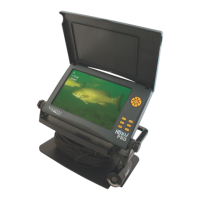
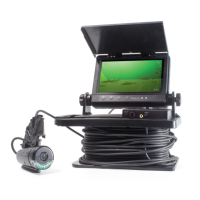
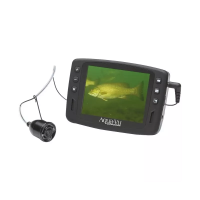
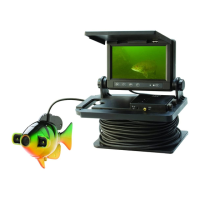
The Aqua-Vu HD7i is an advanced underwater viewing system designed for anglers and enthusiasts who want to explore the underwater world with high-definition clarity. As "THE ORIGINAL UNDERWATER VIEWING SYSTEM," it offers a robust set of features for both casual observation and serious fishing applications.
Function Description:
The primary function of the Aqua-Vu HD7i is to provide real-time, high-definition video of underwater environments. It allows users to observe fish, structure, and other underwater features directly on a display screen. This capability is invaluable for ice fishing, open water fishing, and general underwater exploration. The system helps users identify fish species, understand their behavior, locate optimal fishing spots, and verify lure presentation. The modular design, particularly the XD Camera Housing with Quick Attachment System™, enhances its versatility by allowing compatibility with various Aqua-Vu XD accessories, expanding its utility beyond basic viewing.
Important Technical Specifications:
- Display: The system features a 7-inch bright LCD screen. This display is IP67 waterproof, ensuring durability and functionality in wet conditions, and is also heated, which is particularly beneficial for cold weather or ice fishing applications to prevent fogging or freezing.
- Camera: It incorporates an HD 1080p XD Camera, delivering full 1080p HD resolution. The camera is equipped with an Opti-RX Lab-Quality Lens, designed for ultra-sharp image clarity.
- Image Technology: The HD7i Gen2 upgrades include True-Color technology, which ensures rich, colorful underwater video, enhancing the realism and detail of the displayed images.
- Cable: The system comes with 75-feet of durable HD cable, providing ample reach for various depths and applications.
- Lighting: High-intensity, adjustable IR (Infrared) lighting is integrated into the camera system. This allows for clear viewing in low-light conditions or murky water without spooking fish with visible light.
- Power: It is powered by a 12v 7Ah battery, which includes a Smart Battery Charger for efficient and safe charging.
- Connectivity: The HD7i offers an HDMI Video Output, enabling users to connect the Aqua-Vu camera system to any compatible external display for larger viewing or recording purposes.
- Mounting: The system is "Boat Ready" and "RAM Mount Compatible," indicating its suitability for integration into boat setups using standard RAM mounting systems.
- Accessories: It is compatible with all Aqua-Vu XD accessories (sold separately), which significantly expands its functionality and adaptability to different fishing scenarios.
- Portability: The system includes a custom soft carry bag, making it easy to transport and protect the device.
Usage Features:
- Menu/Settings Navigation: The device features an intuitive menu/OK button for accessing settings. Up/down arrow keys allow toggling between settings, while left/right arrow keys adjust setting values. A highlighted setting in red indicates it's ready for adjustment.
- Image Adjustment: Users can adjust Brightness, Sharpness, Color, and Contrast to optimize the camera settings on the display screen, similar to adjusting a television.
- Reset Function: A "Reset" option allows users to return all settings to the factory default with a simple press of the menu/OK button when highlighted.
- Advanced Settings: The "Advanced Setting" option, when highlighted in red, allows users to enable, adjust, and save custom settings. Once enabled, left or right arrows turn them on or off.
- Exit Function: An "Exit" option, when highlighted, returns the user to the main viewing mode.
- Auto Adjust Display: This intelligent feature automatically selects a customized day or night setting based on the ambient light detected by the monitor, simplifying operation.
- Custom Settings 1 and 2: These allow users to customize settings not adjusted by the auto-adjust feature. A green check mark indicates the selected setting option (auto adjust, custom setting 1, or custom setting 2). Users can select one of these by highlighting it and pressing the menu/OK button, which automatically returns the screen to the display mode with the selected settings.
- Customizing Advanced Settings: To adjust and save pre-set values, users toggle until "display settings" is highlighted and press menu/OK. Then, they can toggle to "custom settings 1 or 2," press menu/OK, and use arrow keys to adjust values. Saving is done by toggling to "exit" and pressing menu/OK.
- Day/Night Settings: These specific settings are utilized when the "auto adjust display" is selected, ensuring optimal viewing conditions regardless of ambient light.
- System Information: A "System" option displays important device information such as model number, version, build date, build time, and battery voltage.
- IR Lighting Control: The IR lighting system can be activated by pressing the yellow light bulb button on the display screen. Brightness can be increased with the "+" button and decreased with the "-" button, offering precise control over illumination in varying water conditions.
Maintenance Features:
- Durable Construction: The use of durable cable and an IP67 waterproof, heated LCD display contributes to the system's longevity and reliability in harsh underwater environments.
- Smart Battery Charger: The inclusion of a smart battery charger helps maintain battery health and prolong its lifespan by preventing overcharging.
- Soft Carry Bag: The custom soft carry bag protects the device during transport and storage, minimizing wear and tear.
- Online Support: Aqua-Vu provides comprehensive support through its website (www.help.aquavu.com), including a "support—contact us" section for direct inquiries, a phone number (866-755-6303) for immediate assistance during business hours (8am to 4pm M-F Central), and an online Help Center with helpful tips and FAQs. A QR code is also provided for easy access to the online Help Center via a smartphone camera. This robust support system ensures users can get assistance with any operational or maintenance questions.

 Need help?
 General

 To Next Page