EasyManua.ls Logo

Aqua eco-wash - User Manual

Aqua eco-wash
36 pages
Print Icon
To Next Page IconTo Next Page
Loading...
ADSP7000603 rev. 1.3 09/06/2015 1/212
Manuale istruzioni
AQUA eco•wash
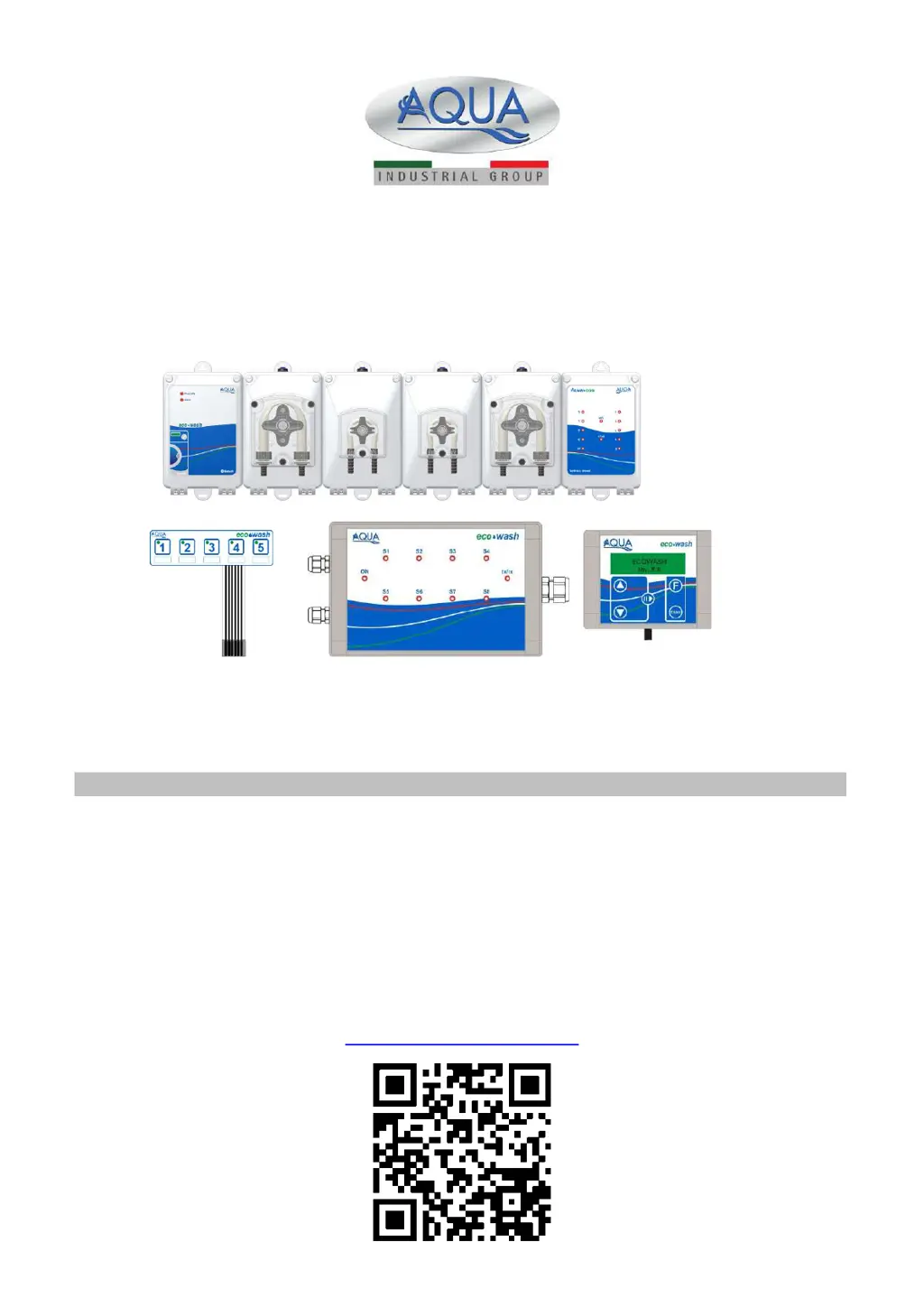
Sistema di dosaggio modulare
per macchine lavabiancheria
For other languages please visit:
http://aqua.quickris.com/ecowash/
ENGLISH
Instruction manual
Page
02

Table of Contents

Questions and Answers

Summary

1.0 INTRODUCTION

1.1 STANDARDS OF REFERENCE

Lists relevant European Directives and environmental compliance standards.

1.2 TECHNICAL FEATURES

Details technical specifications like power, absorption, dimensions, and protection ratings for modules.

1.3 PACKAGE CONTENT

Lists all items included in the AQUA eco-wash system packaging.

1.4 INSTALLATION MATERIAL

Lists the specific cables, tubes, and connectors provided for installation.

2.0 INSTALLATION

2.1 SYSTEM ASSEMBLY

Step-by-step guide on physically connecting the various modules of the eco-wash system.

2.2 WALL MOUNTING

Instructions for securely mounting the eco-wash system onto a wall.

2.3 ELECTRIC CONNECTIONS

2.4 CENTRAL MODULE ELECTRIC CONNECTIONS

Details power supply, relay, alarm, level probe, and LED connections for the central module.

2.5 SIGNALS MODULE ELECTRIC CONNECTIONS

Explains connecting the signals module to console, central module, and washing machine, including LED indicators.

3.0 AQUAWARE CONFIGURATOR PROGRAM

3.1 STEP 1 - BLUETOOTH CONNECTION

Guides through establishing a Bluetooth connection with the eco-wash system.

3.2 STEP 2 - SYSTEM CONFIGURATION

Covers setting system parameters like pump type, signal modules, and console.

3.3 STEP 3 - SYSTEM SELF-RECOGNITION

Details the process for the system to automatically recognize its components.

3.4 STEP 4 - BLUETOOTH NAME SETTING

Explains how to set a unique Bluetooth name for the washing machine.

5.0 PROGRAMMING

5.1 STEP 1 - BLUETOOTH CONNECTION

Details the procedure for establishing a Bluetooth connection for programming.

5.2 STEP 2 - INSTALLATION

Covers entering customer and installation-specific data into the system.

5.3 STEP 3 - WASHING MACHINE

Enter information about the specific washing machine model and its capacity.

5.4 STEP 4 - CHEMICAL PRODUCTS

Associate chemical products with pumps and define their properties like cost and concentration.

5.5 STEP 5 - SETTINGS

Configure signal filtering, drain signal type, flushing mode, and program start options.

5.6 STEP 6 - CALIBRATION

Guide for calibrating the pumps to ensure accurate chemical product dosing.

5.7 STEP 7 - PROGRAMS

Configure washing programs using instruction blocks for relay or program modes.

5.8 STEP 8 - PROGRAMS NAME

Allows assigning custom names to the 20 available programs.

5.9 STEP 9 - PASSWORD

Procedure for setting or changing the system access password.

5.10 STEP 10 - STATISTICS

View and manage historical data, statistics, and reports of pump and program usage.

5.11 STEP 11 - ALARMS

Configure alarm settings, manage maintenance reminders, and view alarm logs.

7.0 APPENDIX 1

A few examples of invalid programs

Illustrates various program configurations that are considered invalid.

8.0 APPENDIX 2

electric connections

Diagrams illustrating the electrical wiring for the system components.

hydraulic connections

Diagrams showing the plumbing and fluid connections for the system.

9.0 APPENDIX 3 - Programming examples

9.1 Example 1

Demonstrates a programming example for a washing machine with four signals.

9.2 Example 2

Shows a programming example for a washing machine with five signals, including relay controls.

9.3 Example 3

Presents a programming example for a washing machine with two signals and meter inputs.

Aqua eco-wash Specifications

General IconGeneral
BrandAqua
Modeleco-wash
CategoryWasher
LanguageEnglish