1
1
2
2
8
5.2 . Preparing FP3-4 system for installation: UF membrane installation
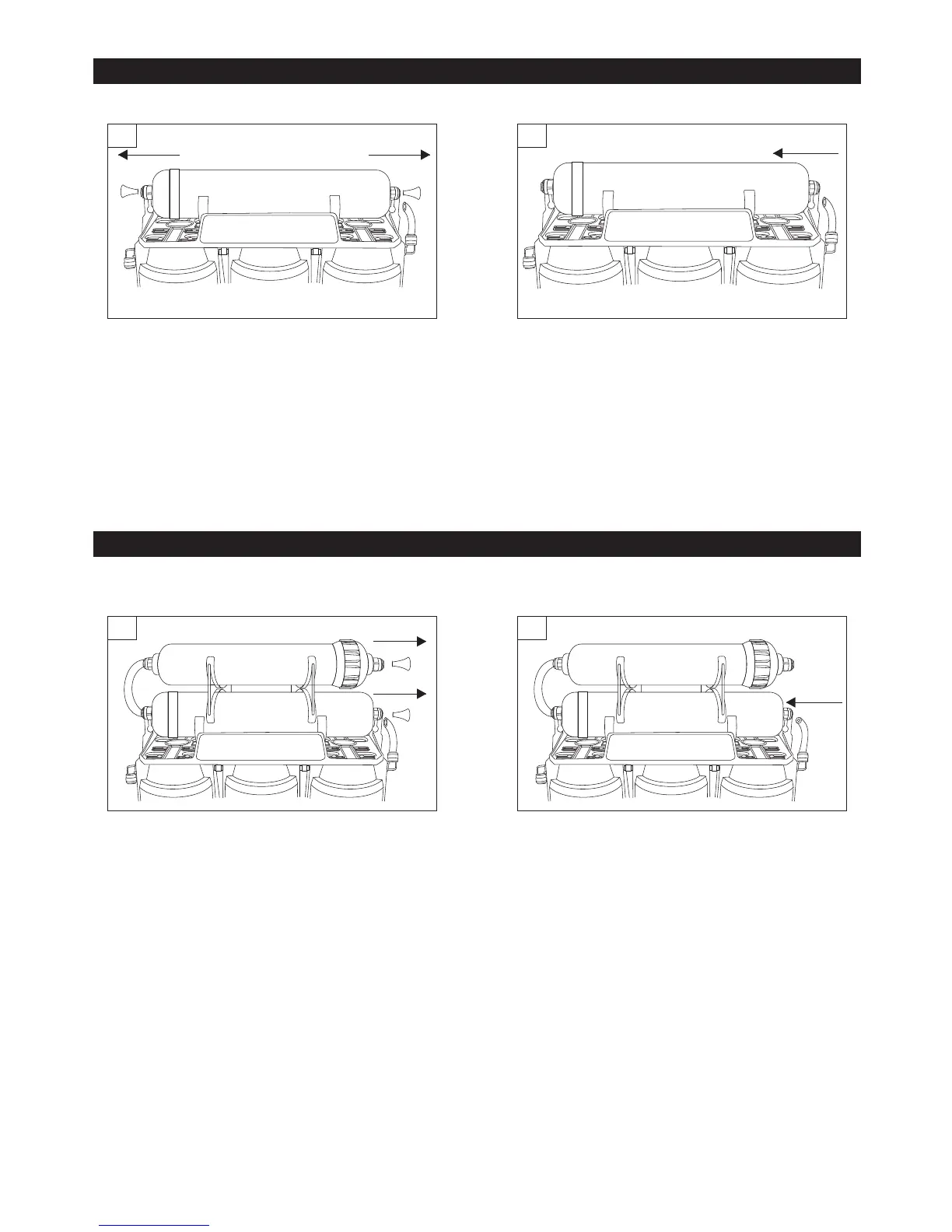
Prior to system installation, first install a hollow fiber membrane:
Prior to system installation, first install a UF membrane:
Use tubing to connect filtration system (start from elbow
OUT) with UF membrane.
WARNING! UF membrane is soaked with a special
conserving solution.
Install the cartridge in the direction of flow, then rinse it for
several minutes before use. Use only with water
microbiologically safe and adequately disinfected.
Remove plug-in from the inlet connector and UF membrane
outlet.
Remove plug-in from the inlet connector of UF membrane
and from the inlet connector of filter cartridge AIFIR1000.
5.3. Preparing FP3-5 system for installation: UF membrane installation
Use tubing to connect filtration system (start from elbow
OUT) with UF membrane.
WARNING! UF membrane is soaked with a special
conserving solution.
Install the cartridge in the direction of flow, then rinse it for
several minutes before use. Use only with water
microbiologically safe and adequately disinfected.


 To Next Page
 Loading...