Firmware Version
The version of firmware running on the controller can be
viewed by scrolling through the miscellaneous settings (see
Menu Guide sheet).
Connection to a PC/Mac
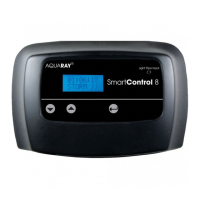
The SmartControl 8 can be connected directly to a PC/Mac
using a cat5 ethernet cable (not supplied). Plug one end into a
spare ethernet port on the PC/Mac and the other end into
the LAN port on the SmartControl 8 unit.
Wait for 10 seconds and then navigate through the menu
system on the SmartControl 8 to view the IP address (see
the Menu Guide sheet).
Please note: the IP address may change each time the
controller is connected to the network.
If you enter this IP address into the address bar of your
web browser you will then see the controller’s settings
displayed on the device. You can also change and save those
settings.
Please note: for your security the settings are password
protected. The default username is ‘admin’ and the
password is ‘icontrol’. You can change these if you wish, and
the password can be reset to ‘icontrol’ via the push button
menu system should you forget your own password (see
the Menu Guide sheet).
Wireless connection to any WiFi device
(PC, Mac, Tablet, Smartphone)
The SmartControl 8 can be connected directly to a
wireless network using a cat5 ethernet cable and wireless
router or wireless bridge (not supplied).
7


 To Next Page
 Loading...