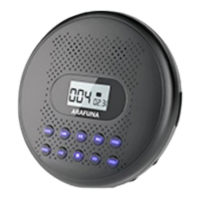
The Arafuna CD Player with Bluetooth (model CD5194B, serial number 31030155089014) is a portable audio device designed for playing compact discs and connecting wirelessly to other Bluetooth-enabled audio equipment. It features a built-in speaker, offering a self-contained listening experience, but also provides options for external audio connections.
Function Description:
The primary function of this device is to play audio CDs. It supports various playback modes including repeating the current track (1), repeating all tracks (ALL), random play (RAND), and playing the first 10 seconds of each track (INTRO). Beyond CD playback, the integrated Bluetooth functionality allows the player to connect wirelessly to Bluetooth speakers or headsets, expanding its versatility for personal or shared listening. An AUX port is also available for wired connections to home theater systems or car audio, serving as an alternative if Bluetooth pairing fails. The device is powered by an internal rechargeable battery, indicated by a red light during charging and a green light when fully charged.
Important Technical Specifications:
- Model: Arafuna CD5194B
- Serial Number: 31030155089014
- Connectivity: Bluetooth, 3.5mm Aux port, USB Type-C for charging
- Power: Rechargeable battery (charged via USB Type-C)
- Included Accessories: Arafuna portable CD player with built-in speaker, carrying case, USB to Type-C charging cable, 3.5 to 3.5 mm Aux cable, user manual.
Usage Features:
- Power On/Off: The device is turned on by pushing the power switch to "ON." It enters standby mode after 20 seconds of inactivity and can be reactivated by pressing the play button.
- CD Playback: To play a disc, ensure it is correctly placed in the player. If "NOd" is displayed, it indicates a disc placement issue.
- Bluetooth Connection:
- Ensure the target speaker or headset is on and ready to connect.
- On the CD player, press the Bluetooth button. If Bluetooth is off, press the Play button to activate it.
- Select the "Bluetooth Search" option and press the play button to initiate scanning for nearby devices.
- Use the play button to select the desired device from the list.
- After connecting, press the Bluetooth button to return to the play interface.
- Note: If Bluetooth pairing to a car fails, an AUX cable can be used as an alternative.
- Sound Effects (EQ): The EQ button allows users to cycle through different sound effects: BBS (bass), POP, JAZZ, ROCK, and CLASSIC.
- Navigation:
- Next Track/Fast Forward: A short press of the "Next" button skips to the next track. A long press initiates fast forward.
- Previous Track/Rewind: A short press of the "Previous" button goes to the previous track. A long press initiates rewind.
- Programming Playback (PROG):
- Enter programming mode by pressing PROG.
- Use the PREVIOUS or NEXT buttons to select tracks for the program.
- Press PROG again to confirm the programming.
- Press PLAY to start programmed playback.
- Press STOP to cancel or reprogram.
- Last Memory: The player remembers the last stop-track on a disc if turned off or paused using the Play/Pause button. Pressing the STOP button will return playback to the first track.
- Volume Control: Volume is adjusted using the -VOL+ controls located next to the headphone port.
- Hold Function: A "HOLD" switch, located under the CD player, locks all keys to prevent accidental operation.
Maintenance Features:
- Charging: The device is charged using the provided USB to Type-C charging cable, connected to a USB port or charger. A red light indicates charging, and a green light indicates a full charge.
- Circulation and Fines (Library Context): In a library setting, the device has a circulation period of 3 weeks, allows for 1 renewal, and incurs an overdue fine of $3. It should be returned to the Adult Reference Desk.
- Component Replacement (Fee Structure):
- Arafuna portable CD player with built-in speaker: $65
- Carrying case: $15
- USB to Type-C charging cable: $10
- 3.5 to 3.5 mm Aux cable: $10
- User manual: No fee (implied, as it's a document)

 Need help?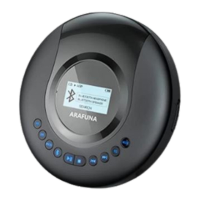

 To Next Page
 General