EasyManua.ls Logo

ARAG ATLAS 100 - User Manual

ARAG ATLAS 100
10 pages
Print Icon
To Next Page IconTo Next Page
Loading...
INSTALLATION, USE AND MAINTENANCE
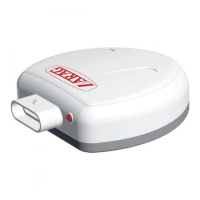
46701651- GPS SPEED SENSOR
46701652- GPS SPEED SENSOR
FOR BRAVO 180S/300S

Questions and Answers

  • B
    bgardnerAug 3, 2025
    What to do if ARAG Accessories ATLAS 100 sensor does not output speed information?
    • D
      Deanna HuangAug 3, 2025
      If the ATLAS 100 sensor isn't providing speed data, several factors could be at play. First, check the power connections and ensure the LED on the device is lit. If the connections are faulty, correct them. Also, verify that the correct speed source, serial port, and conversion constant are selected in the menu of the device connected to the ATLAS 100. If the device is waiting for a satellite signal, wait for the LED to switch from flashing to steady, or try repositioning the sensor. Finally, adjust the working speed if it falls outside the permissible range.
  • T
    Tiffany ThomasAug 13, 2025
    Why is the red LED flashing on my ARAG ATLAS 100 Accessories device?
    • R
      richardsonshannonAug 13, 2025
      A flashing red LED indicates that the power supply voltage is either too low or too high. You should check the power supply voltage to ensure it's within the correct range.
  • A
    Anthony BradleyAug 25, 2025
    What to do if my ARAG ATLAS 100 device outputs wrong speed information?
    • M
      Maria BurnsAug 25, 2025
      If your device is displaying incorrect speed information, the conversion constant in the menu of the connected device might not be set correctly. Ensure that the proper conversion constant is selected.

Summary

Intended Use

FCC Standards

Precautions

Package Content

Dimensions

Positioning

GPS Speed Sensor Installation

Explains essential requirements for mounting the sensor at the highest point for optimal skyward reception.

GPS Speed Sensor Fastening

Wiring Connections

General Precautions for Correct Harness Position

Provides guidelines for securing and fitting cables, emphasizing proper connector seating for weather protection.

Wiring Harness Connection

Describes the procedure for connecting the 5-pole Superseal connector to the speed sensor and how to disconnect it.

LED Signals

Troubleshooting

Connector Connection

Details the pinouts for the Superseal connector on the sensor and the cable connectors for frequency and computer output.

Technical Data

End-of-Life Disposal

Warranty Terms

EC Declaration of Conformity

ARAG ATLAS 100 Specifications

General IconGeneral
BrandARAG
ModelATLAS 100
CategoryAccessories
LanguageEnglish