2
EN
Connecting to Insta360 Link
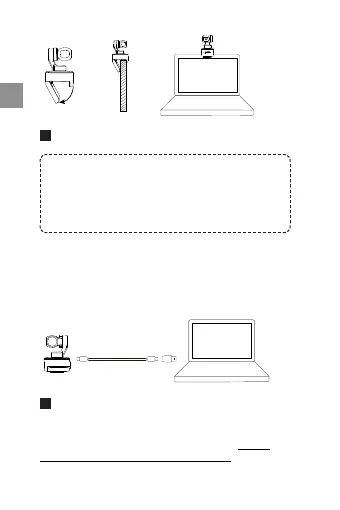
Insta360 Link is compatible with both Windows and
macOS. Please use the USB cable to connect it to your
computer's USB port. Once connected, the blue light
on the camera will flash. When it is fully powered on,
the blue light will be continuously illuminated. It will
automatically power off when unplugged.
Important:
1) To avoid issues due to insufficient power supply,
please connect Link directly to a computer or to a USB
hub with an independent power supply.
2) To avoid compatibility issues, please use the included
USB cable to connect Insta360 Link to your computer.
Installing Link Controller
As soon as you connect Insta360 Link to your computer
with the USB cable, you can use it immediately.
However, to adjust more settings, please visit https://
www.insta360.com/download/insta360-link to install
the free Link Controller software.


 To Next Page