EasyManua.ls Logo

Arbortech ALLSAW AS175 - User Manual

Default Icon
12 pages
Print Icon
To Next Page IconTo Next Page
Loading...
Double Insulation used throughout, no
provision for earthing.
www.arbortechtools.com
OWNER’S INSTRUCTION MANUAL
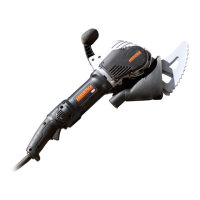
ALLSAW AS175 BRICK & MORTAR SAW
Please read this manual carefully to ensure correct operation and care of the machine. If you use the AS175
cor rectly, it will provide you with years of reliable service saving you time and money.
ALL.FG.175240.00/40
ALL.FG.175110.40

Questions and Answers

  • G
    George DominguezAug 18, 2025
    Why is my Arbortech Saw motor overheating?
    • E
      esmithAug 18, 2025
      Several factors can cause the Arbortech Saw motor to overheat. Make sure that the cooling vents are not blocked by debris or your hand. Also, ensure the blades aren't rubbing against each other too hard, either at the cutting edge or near the blade mounts. Worn blades or excessive belt tension can also lead to overheating, so replace worn blades and check the belt tension. Check the bearings for failure by removing the plastic side cover and belt, then rotate both pulleys independently to check for roughness. The power pulley should rotate easily and smoothly, while the driven pulley should rotate smoothly but have a 'springy' feel. Finally, verify that the motor housing is secure; if it's loose, seek help from an authorized service center.
  • A
    Amanda AdkinsAug 20, 2025
    How to fix noisy operation or unusual vibration in Arbortech Saw?
    • D
      Donald BriggsAug 20, 2025
      Noisy operation or unusual vibration in your Arbortech Saw can be caused by several issues. Start by tightening any loose blade mount bolts. If that doesn't solve the problem, the blade set may need replacement due to blade failure. Other potential causes include leaf spring failure, bearing failure, or gearbox failure, all of which require contacting an authorized service center. Lastly, check if the handle rubber mounts are damaged or worn, and replace them if needed.
  • A
    allen29Aug 23, 2025
    What to do if Arbortech ALLSAW AS175 Saw is running but blades are not moving?
    • V
      villarrealmichaelAug 23, 2025
      If your Arbortech Saw is running, but the blades aren't moving, the belt is likely the issue. Check if the belt is loose or broken and re-tension or replace it as necessary. A worn belt can also cause this problem, so consider replacing the belt.
  • L
    Laura WardAug 26, 2025
    Why are my Arbortech Saw blades “blueing”?
    • T
      Thomas ThomasAug 26, 2025
      Blades turning blue on your Arbortech Saw can happen for a few reasons: worn teeth, using too much force, not using enough of a sawing motion, working with material that is too hard, or the blades rubbing together too forcefully. Replace worn blades, reduce the amount of force applied, increase the sawing motion, use appropriate materials, and ensure proper blade spacing.
  • D
    derrick43Aug 28, 2025
    How to improve slow cutting performance of Arbortech ALLSAW AS175?
    • B
      Brianna WongAug 28, 2025
      If your Arbortech Saw's cutting performance is slow, it could be due to worn, chipped, or missing teeth on the blade. Try sharpening or replacing the blade. Also, check for a slipping belt.
  • D
    Dawn PowellAug 30, 2025
    What to do if Arbortech ALLSAW AS175 Saw blades continually coming loose?
    • S
      sandra43Aug 30, 2025
      If the blades on your Arbortech Saw keep coming loose, inspect the blade bolt holes. If these holes are elongated, it's time to replace the blades.
  • B
    Brandon ThompsonSep 2, 2025
    How to prevent Arbortech ALLSAW AS175 blades rubbing together with excessive force?
    • C
      Carmen CastilloSep 2, 2025
      To prevent Arbortech Saw blades from rubbing together with excessive force, first ensure the blades have the correct spacing. If they don't, remove the blades and follow the blade gap setup procedure. Also, make sure the material you're cutting isn't too hard.
  • T
    Thomas SimpsonSep 4, 2025
    Why are the teeth on my Arbortech ALLSAW AS175 blade chipped or lost?
    • Q
      qmanningSep 4, 2025
      Chipping or loss of teeth on your Arbortech Saw blade can occur if you encounter hard material or impact the back side of the teeth. It can also happen if you're not careful when setting the tool down on hard surfaces or if it's loose in a toolbox. Worn blades may also overheat, causing teeth to de-bond, or the material may be too hard. In these cases, replace the blades.
  • S
    Scott GrossSep 7, 2025
    What causes loose conrods/blades on Arbortech ALLSAW AS175 even when mounting bolts are tightened?
    • A
      alexanderkatherineSep 7, 2025
      If one or both conrods/blades are loose on your Arbortech Saw, even when the mounting bolts are tightened, this indicates a leaf spring failure. Contact an ARBORTECH authorized service center for assistance.
  • C
    Cynthia GibbsSep 9, 2025
    What to do if Arbortech Saw blade mounting bolts not tightening fully?
    • T
      Thomas GreerSep 9, 2025
      If the blade mounting bolts on your Arbortech Saw are not tightening fully, the threads on the bolts may be stripped. Replace the bolts.

Summary

GENERAL POWER TOOL SAFETY WARNINGS

Electrical Safety Precautions

Guidelines to prevent electric shock and ensure safe power connections.

Personal Safety Measures

Operator safety guidelines including alertness and protective gear.

POWER TOOL USE AND CARE

Reciprocating Saw Safety

Specific safety instructions for operating reciprocating saws.

OPERATION

How to Operate the Tool

Instructions on how to use the AS175 for cutting tasks.

SAFE CUTTING TECHNIQUES

Proper Cutting Motions and Tool Handling

Guidance on proper cutting motions, avoiding damage, and tool handling.

TROUBLESHOOTING GUIDE

Arbortech ALLSAW AS175 Specifications

General IconGeneral
BrandArbortech
ModelALLSAW AS175
CategorySaw
LanguageEnglish

Related product manuals