EasyManua.ls Logo

Arca-Swiss Monoball - User Manual

Default Icon
4 pages
Print Icon
To Next Page IconTo Next Page
Loading...
Thank you for your purchase of a ARCA-SWISS MONOBALL® tripod
head. Our many years of experience manufacturing and refining tripod
head design have resulted in a precision instrument engineered to
complement your photography with a minimum amount of care. The
heart of all Monoball® B1 and B2 models is a patented aspherical ball.
Combined with a patented axial clamping design these unique features
work together to prevent unexpected and unwanted movements as you
lock the head into position, to progressively cushion as you tilt the
camera and to provide you with the highest load capacity of any
ballhead. Users can adjust the friction settings for different weights
of camera and lens combinations. Except for the B1e model, 360º
panning is standard on all models. An additional feature of the
Monoball® B2 is the segregated bi-axial tilt controls making the
Monoball® B2 ideal for working with medium and large format view
cameras, with heavy telephoto lenses, or in all situations where you
need separated controls to precisely position the camera. Your
Monoball® needs only minimal maintenance to keep it functioning
properly and
never needs lubrication
.
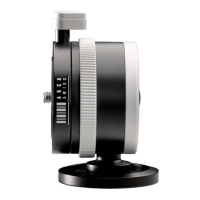
The Multifunction Knob
There are three parts of the multifunction knob to become familiar
with: The large multifunction knob (1) controls the movement of the
ball and the tension on the ball, the thumbscrew (2) which controls
friction on the ball, and the reference scale (3).
With the multifunction knob facing you, turn the knob clockwise to
increase the tension on the ball and to lock the ball into the desired
position. To loosen the ball simply turn the knob counter clockwise
.
(IMPORTANT: Do not force the multifunction knob beyond the minimum
friction setting. This can cause the multifunction knob to "lockup."
(See "Attention!" Note)
.
Note
:
It is not necessary to tighten the multifunction knob entirely to
lock the ball. No more than one or possibly two complete turns will lock
the ball safely depending on the camera & lens weight and balance.
ATTENTION!
DO NOT FORCE THE MULTIFUNCTION KNOB TO TURN BEYOND
ITS STOPPING POINT! THIS WILL LEAD TO A CONDITION
COMMONLY KNOWN AS "LOCK UP" OF THE MULTIFUNCTION
KNOB (KNOB IS LOCKED BUT HEAD IS LOOSE). TO CORRECT
Question and Answer IconNeed help?

Do you have a question about the Arca-Swiss Monoball and is the answer not in the manual?

Summary

The Multifunction Knob

ATTENTION!

Warning against forcing the multifunction knob beyond its stopping point to prevent lock-up.

Adjusting the amount of friction

Guide to adjusting friction for camera and lens combinations using the multifunction knob and thumbscrew.

The Reference Scale

Explanation of using the reference scale for camera and lens tension settings.

Panning

Monoball B2

Quick Release Clamp

Maintenance

Trouble-Solving

Knob or thumbscrew locked

Solution for a locked multifunction knob or thumbscrew, involving sequential tightening and loosening.

Ball is frozen

Steps to unfreeze a ball by adjusting tension and friction controls on the multifunction knob.

Panning not smooth

Advice to check and loosen over-tightened tripod platform screws affecting panning.

Overview

The ARCA-SWISS MONOBALL® tripod head is a precision instrument designed to complement photography with minimal maintenance. Its core feature across B1 and B2 models is a patented aspherical ball, combined with a patented axial clamping design. These features work in concert to prevent unexpected and unwanted movements when the head is locked, provide progressive cushioning during camera tilts, and offer the highest load capacity among ballheads. Users can adjust friction settings to accommodate different weights of camera and lens combinations. All models, with the exception of the B1e, include 360° panning as a standard feature.

A distinguishing characteristic of the Monoball® B2 is its segregated bi-axial tilt controls. This makes it particularly suitable for use with medium and large format view cameras, heavy telephoto lenses, or any situation requiring precise camera positioning through separate controls. The Monoball® requires only minimal maintenance and no lubrication.

Function Description:

The Monoball® head's primary function is to provide a stable and adjustable platform for cameras and lenses. Its design allows for precise control over camera movement and positioning.

Multifunction Knob:

The multifunction knob is central to the head's operation and consists of three parts:

  1. Large Multifunction Knob (1): Controls the movement and tension of the ball. Turning it clockwise increases tension and locks the ball into position. Turning it counter-clockwise loosens the ball.
  2. Thumbscrew (2): Controls the friction on the ball.
  3. Reference Scale (3): A visual aid for remembering friction settings.

Adjusting Friction:

The patented aspheric design of the ball progressively increases drag, slowing inadvertent tilts and minimizing potential damage to equipment. To set the minimal friction limit:

  1. Mount the lightest camera and lens combination you regularly use.
  2. Turn the small thumbscrew counter-clockwise until it stops.
  3. Turn the multifunction knob counter-clockwise until the desired minimum friction is achieved (ranging from completely free to a desired level of drag).
  4. Turn the thumbscrew clockwise until it stops. This sets the minimal friction limit, preventing the multifunction knob from turning beyond this point. If a heavier combination is mounted, increase the ball tension by turning the multifunction knob clockwise according to the equipment's weight and balance, then re-adjust the minimum friction by turning the friction thumbscrew clockwise. To lower the minimal friction limit, turn the multifunction knob clockwise, then turn the friction screw counter-clockwise until the multifunction knob and ball move freely enough to adjust the new minimal friction limit.

Panning:

All ARCA-SWISS Monoballs® (except the B1e model) feature 360° rotation on their base (5). The panorama locking knob (4) is used to lock the head's panning movement. This screw is non-removable to prevent accidental loss.

Monoball® B2 Specifics:

The Monoball® B2 features a bi-axial tilt mechanism with two concentric balls. This allows for independent control of fore-and-aft tilt and lateral tilt. The outer ball's movement is controlled by the main multifunction knob. The small knob (6) located above the multifunction knob controls the inner ball's movement. The knurled collar (7) adjusts the friction for the inner ball. It may be necessary to slightly loosen and move the small ball before adjusting the ring to vary friction.

Quick Release Clamp:

The Monoball® B1 is available with a quick release clamp (8), which is standard on the Monoball® B2. This design facilitates swift and secure camera or lens changes. ARCA-SWISS provides a range of camera plates compatible with various small, medium, and large format cameras. Medium and large format ARCA-SWISS cameras attach directly to the Monoball® clamp.

Usage Features:

  • Progressive Cushioning: The aspherical ball design provides progressive cushioning as the camera tilts, preventing sudden movements.
  • High Load Capacity: Engineered to support heavy camera and lens setups.
  • Adjustable Friction: Allows users to fine-tune friction for different equipment weights and desired movement control.
  • Reference Scale: Useful for recalling preferred friction settings when switching between multiple camera and lens combinations. To use, mount the lightest combination, set minimum tension, and rotate the scale on the multifunction knob so zero aligns with the head's reference mark. For heavier combinations, adjust tension and note the reference number.

Maintenance Features:

  • No Lubrication Required: The Monoball® is designed to operate trouble-free for many years without any lubrication. Using lubricants will damage the Monoball®.
  • Cleaning: If the ball does not move smoothly, it can be cleaned with a soft cloth and alcohol.
  • Prevention of Dirt/Sand: Ensure that sand or dirt never enters the housing.

Trouble-Solving:

  • Multifunction knob or thumbscrew locked: First, tighten the multifunction knob clockwise, then loosen the thumbscrew.
  • Ball "frozen" in place: Increase tension on the ball by rotating the multifunction knob clockwise. Release friction by turning the thumbscrew counter-clockwise. Then, release tension on the ball by rotating the multifunction knob counter-clockwise.
  • Panning not working smoothly: Check if the tripod's locking screws on the mounting platform are overtightened. Loosen these screws to reduce pressure on the panning base.

Important Notes:

  • Do not force the multifunction knob beyond its minimum friction setting, as this can cause it to "lock up" (knob is locked, but head is loose). To correct this, increase tension on the ball by rotating the multifunction knob clockwise, release friction by turning the thumbscrew counter-clockwise, then release tension on the ball by rotating the multifunction knob counter-clockwise.
  • It is not necessary to fully tighten the multifunction knob to lock the ball; one or two complete turns are usually sufficient depending on equipment weight and balance.
  • When attaching the head to a tripod, avoid overtightening any screws on the tripod's mounting platform, as this can impair smooth panning.
  • Test all camera and lens plates from manufacturers other than ARCA-SWISS to ensure compatibility and secure locking.

This ARCA-SWISS product is covered by U.S. Patent #5,249,766 and other patents.

Arca-Swiss Monoball Specifications

General IconGeneral
BrandArca-Swiss
ModelMonoball
CategoryCamera Accessories
LanguageEnglish

Related product manuals