EasyManua.ls Logo

Arcam ST60 - User Manual

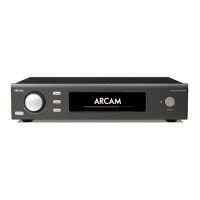
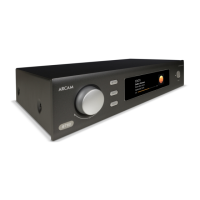
Arcam ST60
46 pages
Print Icon
To Next Page IconTo Next Page
Loading...
SERVICE MANUAL
NETWORK STREAMER
ST60
ISSUE A

Questions and Answers

  • E
    Eric ArellanoJul 29, 2025
    Why is there no sound from my Arcam Media Player?
    • D
      dsandovalJul 29, 2025
      Ensure that the Arcam ST60 Media Player is correctly plugged in and switched on. Verify that your audio source is correctly connected, the correct input is selected, and that the volume is not muted.
  • L
    Luis SalinasAug 7, 2025
    What to do if my Arcam Media Player doesn't respond to the remote control?
    • D
      David FloresAug 7, 2025
      Check that the remote batteries aren't running out. Also, make sure that the front panel window of the unit is visible and that you are pointing the remote control directly towards it.
  • L
    Larry BlairAug 17, 2025
    What to do if the front panel display of my Arcam ST60 Media Player is blank?
    • D
      Dawn OwenAug 17, 2025
      Ensure that the display hasn’t been turned off or that the dark mode isn't enabled.

Summary

Safety Summary

General Safety Warnings

Key safety precautions to prevent hazards like explosions, electric shock, and improper servicing.

Safety Guidelines

Handling and Environmental Precautions

Guidelines for safe operation, cleaning, and avoiding environmental hazards.

Electrical Safety and Installation

Covers electrical safety, plug usage, grounding, and installation requirements.

Safety Information

Electrostatic Discharge Precautions

ST60 Specifications

Technical Specifications Summary

Lists all technical specifications for analogue, digital, general, and connectivity aspects.

Functional Verification and Test Procedure

Troubleshooting

Common Issues and Solutions

Addresses common operational problems like no sound, remote issues, blank display, and volume control.

Theory of Operation

Block Diagram

Overall Dimensions

Exploded Drawings

Arcam ST60 Specifications

General IconGeneral
ConnectivityEthernet, Wi-Fi
OutputRCA, XLR
Digital OutputsCoaxial, Optical
RoonRoon Ready
TypeNetwork Streamer
Supported FormatsMP3, WMA, AAC, AIFF, WAV, FLAC, OGG, ALAC
Bit Depth24-bit
ControlIR Remote, App Control
Streaming ServicesTIDAL, Qobuz, Spotify Connect, Deezer, Internet Radio
Digital InputsCoaxial, Optical, USB
USBUSB Type-A
BluetoothYes, with aptX HD
Dimensions433 x 87 x 355mm

Related product manuals