Home
ARCCOS
GPS
Link
Page 15 (After Your Round)
ARCCOS Link - After Your Round
21 pages
Manual
Save Page as PDF
To Next Page
To Next Page
To Previous Page
To Previous Page
Loading...
7
AFTER Y
OUR
ROUND
•
T
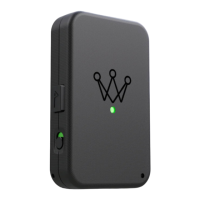
urn off
Ar
ccos Link by long-
pressing on the
Arccos crown logo.
A beep will
conrm power down,
and the indicator light will go dark.
•
Charge
Arccos Link by connecting
a micro USB cable (pr
ovided with
Arccos Link).
14
16
Related product manuals
ARCCOS LINKPRO
24 pages


 To Next Page