6.0 Instructions for use
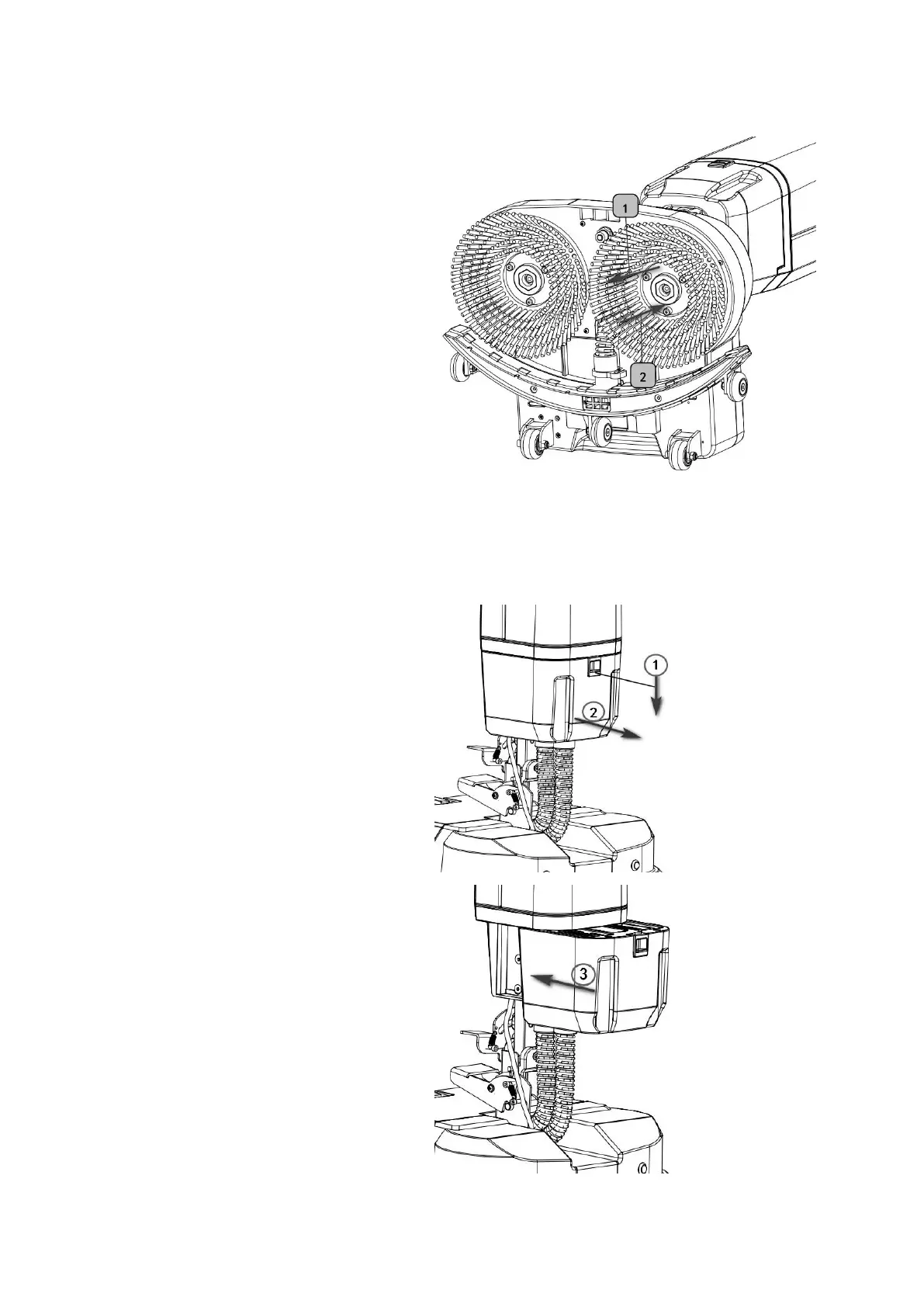
6-1 Brush Disassembly and
Installation Instructions:pic6-1
1. According to the direction of arrow
1 in the figure, you can directly pull
out the brush tray.
2. Align the hexagonal column and
push it in the direction of arrow 2
in the figure to tighten the brush
plate.
6-2 Battery Removal and Installation
Instructions:pic 6-2.
1.Press the battery lock.
2.Press and hold the battery lock and
pull it in the direction of the arrow to
remove the battery.
3.Align the slot and push the battery to
the end, the buckle of the battery is
fastened, and the battery is installed.


 To Next Page