

EasyManua.ls Logo

Arcora BLANCUS 40 - User Manual

Arcora BLANCUS 40
19 pages
Print Icon
To Next Page IconTo Next Page
Loading...
BLANCUS 40 COMPACT SCRUBBER DRYER MACHINE
Please read this manual carefully before use
Question and Answer IconNeed help?

Do you have a question about the Arcora BLANCUS 40 and is the answer not in the manual?

Summary

1.0 Overview

Use of the Scrubber-Dryer Machine

Explains the intended use and suitability of the machine for various floor cleaning tasks.

2.0 Summary of Security Matters

3.0 Blancus 40 Floor Scrubber Specifications

4.0 Packaging of the Machine

5.0 Machine Components

6.0 Instructions for Use

Brush Disassembly and Installation

Details on how to remove and install the brush assembly for maintenance or replacement.

Battery Removal and Installation

Step-by-step guide for safely removing and installing the machine's battery.

Water Filling Instructions

Procedures for filling the clean water tank and important notices regarding tank refilling.

Sewage Tank Removal

Instructions on how to detach and remove the sewage tank for emptying and cleaning.

Universal Joint Locking and Unlocking

Explains the process of unlocking and locking the machine's universal joint for operation.

Control Panel Overview

Illustration and explanation of the different buttons and indicators on the control panel.

Battery Charging Instructions

Instructions for using the approved charger and the steps for charging the machine's battery.

7.0 Maintenance

Daily Maintenance Procedures

Routine tasks for daily upkeep, including cleaning brushes, tanks, and squeegees.

Monthly Maintenance Checks

Periodic checks for connections, lubrication, fasteners, and leaks for optimal performance.

Machine Storage Guidelines

Guidelines for proper storage, including environmental conditions and draining tanks.

8.0 Common Faults and Solutions

Series Product Warranty Card

Overview

The ARCORA BLANCUS 40 is a compact scrubber dryer machine designed for efficient and fast mechanized floor cleaning. This miniature automatic floor scrubber utilizes a combination of a disc brush and a chemical action of water and detergent solution to clean hard floors with various stains. It also collects removed and untreated stains during operation, absorbing cleaner solutions from the floor.

Function Description:

The BLANCUS 40 is suitable for cleaning small office buildings, hotels, restaurants, and workshops. It is not designed for use in the rain or under a water jet, nor is it intended for collecting dangerous dust or flammable liquids in explosive environments. It should not be used as a means of transportation.

Important Technical Specifications:

  • Voltage: DC36V
  • Working width: 42cm
  • Water absorption width: 44cm
  • Work efficiency: 700m²/h
  • Brush disc diameter (bristle): 17.5cm (21cm)
  • Brush speed slow/fast: 270/340rpm
  • Brush motor: 2*150W
  • Brush plate pressure: 11kg
  • Suction motor: 150W
  • Vacuum: 120mbar
  • Turning radius: 30cm
  • Clean water tank capacity: 2L
  • Sewage Tank Capacity: 3.5L
  • Noise level: 63dB
  • Battery: 7.5Ah-36V (Lithium battery)
  • Battery weight: 1.8 kg
  • Net Weight (N.W): 16kg
  • Gross Weight (G.W): 20kg
  • Package size: Length: 116cm, Width: 46cm, Height: 35cm

Usage Features:

Before operating the BLANCUS 40, users must familiarize themselves with its design, controls, and functions. First-time operators should practice in an open area to understand its various features. Before any operational work, the general and operational condition of the scrubber and its parts should be checked. The machine should only be used for its proper application (cleaning hard floors). Operators must be mindful of obstacles in the workplace, such as stairs and shelves, and pay attention to surrounding people, especially children. Only appropriate cleaning agents, used according to manufacturer's instructions and dosages, should be utilized.

Brush Disassembly and Installation:

To remove the brush tray, pull it out directly in the direction of arrow 1 (Pic 6-1). To install, align the hexagonal column and push it in the direction of arrow 2 to tighten the brush plate.

Battery Removal and Installation:

To remove the battery, press the battery lock and pull it in the direction of the arrow (Pic 6-2). To install, align the slot and push the battery until the buckle fastens.

Water Filling:

To fill the clean water tank (Pic 6-3):

  1. Push the clean water tank outward to disengage the buckle.
  2. Lift the clean water tank up.
  3. Open the water tank cover and fill with clean water. It is crucial to empty the recovery tank when refilling the solution tank. Do not fill the solution tank with water or unclean water from the recovery tank, as this will clog the pipes.

Sewage Tank Removal:

To remove the sewage tank (Pic 6-4):

  1. Push up the sewage tank swing button.
  2. Open the upper end of the sewage tank outwards, disengage the joint, and lift it away.

Unlocking and Locking the Universal Joint:

  • Unlocking: Grab the operating handle, then step down on rocker 1 to its lowest position with your feet. The machine is then ready for use.
  • Locking: Step on rocker 2 to its lowest position with your feet, swing the handle back and forth, left and right to make it perpendicular to the machine head. The handle will automatically lock vertically.

Control Panel (Pic 6-6):

  1. Power switch: Turns the machine on/off.
  2. Battery indicator: Shows battery status.
  3. Low battery indicator light: Flashes when the battery is low, indicating it needs charging.
  4. Brush plate switch: Cycles between ECO slow and fast modes.
  5. Clean water switch: Controls the clean water flow.
  6. Suction switch: Activates the suction motor.

Battery Charging:

Only use the approved battery charger provided by the company (Pic 6-8). Using an incompatible charger can damage the battery or cause fire.

Correct charging steps:

  1. Transport the machine to a well-ventilated area.
  2. Park the machine in a dry, level place and turn off the main power.
  3. Plug the DC cable plug of the charger into the charging socket of the machine.
  4. Connect the charger's AC power cord to a properly grounded outlet.
  5. The charger will start charging automatically. Charging time is approximately 2 hours and 30 minutes.
  6. After charging, unplug the AC power plug from the outlet first, then unplug the DC charging plug from the machine.

Maintenance Features:

This scrubber should only be maintained and serviced by properly trained personnel using suitable tools. The power should be turned off or the battery removed when cleaning or maintaining the scrubber. High-pressure water or steam equipment should not be used to clean the scrubber, and electrical components must not come into contact with water.
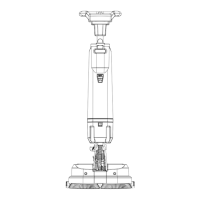
Daily Maintenance:

  • Remove the pad/brush plate and wipe it clean with a specific cleaner.
  • Drain the recovery and solution tanks and rinse them with clean water. Check the recovery tank for debris and remove it immediately.
  • Lift the squeegee assembly off the ground and wipe it with a damp towel.
  • Wipe the machine clean with a specific cleaner.
  • Charge the battery.
  • Check the edge of the scraper for sharpness. If damaged, turn it over or replace it.

Monthly Maintenance:

  • Check for loose or corroded battery connections.
  • Lubricate all lubrication points and shafts with a specific lubricant.
  • Check for loose machine fasteners.
  • Check the water tank for leaks. Inspect the sealing strip of the waste water tank cover and replace if damaged.

Machine Storage:

  • Store indoors in a dry place.
  • Store upright.
  • If the storage place is extremely cold, the machine must be kept completely dry before storing to prevent damage from low temperatures.
  • Drain the recovery and solution tank.

Arcora BLANCUS 40 Specifications

General IconGeneral
BrandArcora
ModelBLANCUS 40
CategoryScrubber
LanguageEnglish