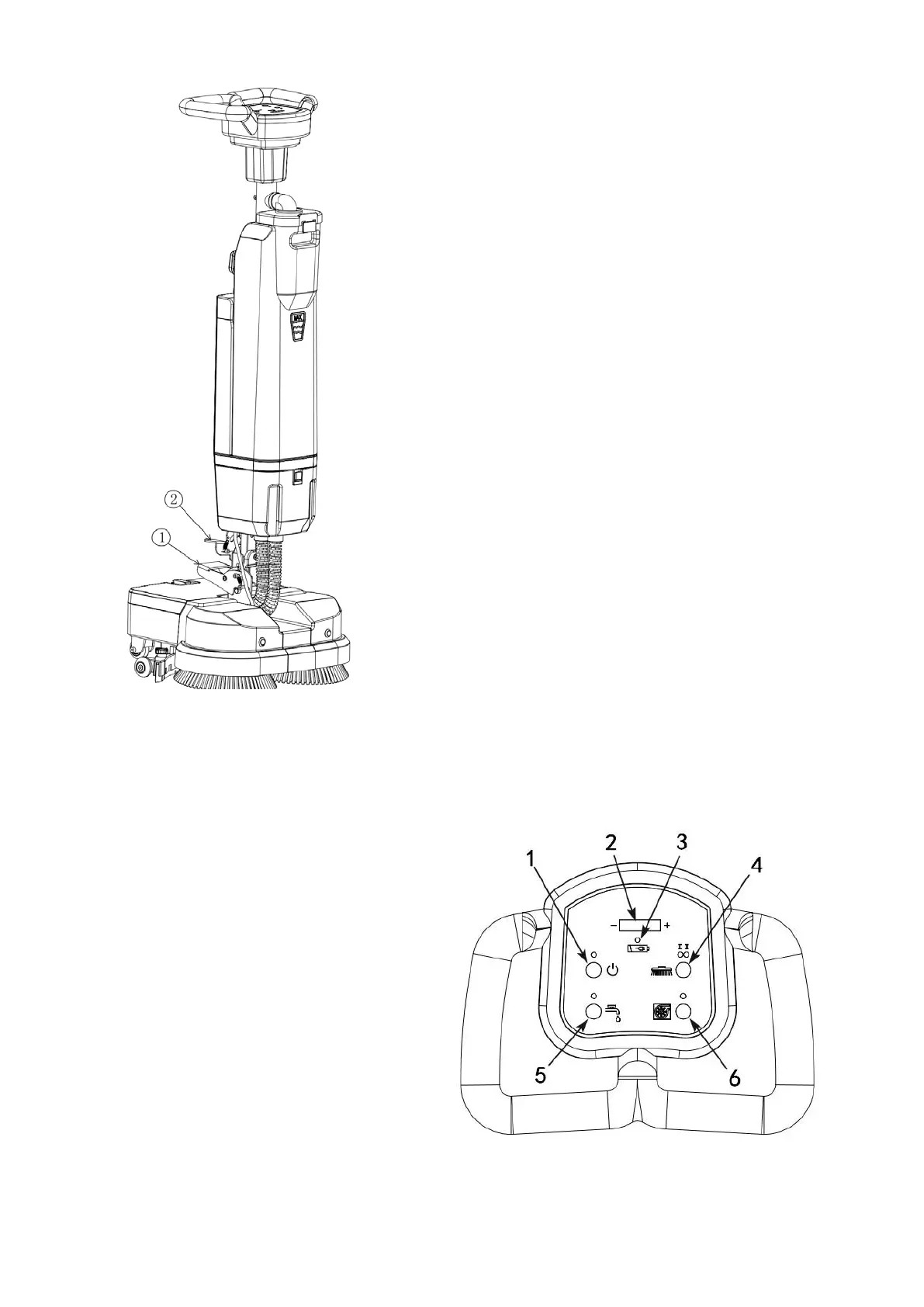
6-5 Instructions for Unlocking and
Locking the Universal Joint of the
Machine:pic 6-5
1. Unlocking: Grab the operating
handle with your hands first, then
step down the rocker ① to the
lowest position with your feet, and
then you can use the machine.
2. Locking: Step on the rocker ② to
the lowest position with your feet,
swing the handle back and forth,
left and right to make it
perpendicular to the machine
head, and the machine handle will
be automatically locked vertically.
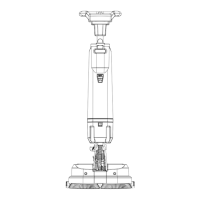
6-6 Control panel illustration:Pic 6-6
1. Power switch
2. Battery indicator
3. Low battery indicator light, the light is
on and flashing, indicating that the
battery is low and needs to be charged in
time.
4. Brush plate switch (cycle ECO slow, &
fast)
5. Clean water switch
6. Suction switch


 To Next Page