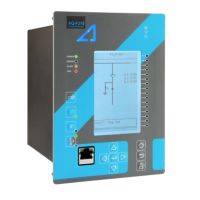
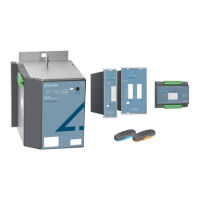
Instruction manual – AQ 110 arc protection unit 4 (65)
TABLE OF CONTENTS
1 ABBREVIATIONS ............................................................................................................ 7
2 GENERAL .......................................................................................................................... 8
2.1 Arc protection unit AQ 110 features ....................................................... 9
2.2 Simplified block diagram ........................................................................... 11
3 OPERATION AND CONFIGURATION .................................................................... 13
3.1 LED indicator functions .............................................................................. 13
3.2 LED OPERATION QUICK GUIDE ............................................................... 14
3.3 Push-button description ............................................................................ 17
3.3.1 Auto configuration (system setup) ....................................................... 17
3.3.2 Reset ................................................................................................................ 17
3.3.3 Input connection check ............................................................................ 18
3.4 Current threshold setting .......................................................................... 18
3.5 Dipswitch settings ........................................................................................ 19
3.5.1 Scheme selection ........................................................................................ 22
3.6 Non-volatile memory .................................................................................. 27
4 ARC SENSORS .............................................................................................................. 28
4.1 Arc light point sensor AQ 01 .................................................................... 28
4.1.1 AQ 01 Installation and wiring ................................................................. 29
4.1.2 AQ 01 Technical data ................................................................................. 31
4.2 Arc light fiber optic loop sensor AQ 06 ............................................... 31
4.2.1 AQ 06 Technical data ................................................................................. 32
4.3 Arc light fiber optic loop sensor AQ 07 ............................................... 33
4.3.1 AQ 07 Technical data ................................................................................. 34
4.4 Arc light fiber optic loop sensor AQ 08 ............................................... 34
4.4.1 AQ 08 Technical data ................................................................................. 35
4.5 Sensor Type Dependencies ...................................................................... 36
4.6 Sensor Connection ....................................................................................... 36
4.6.1 Arc light point sensor AQ01 connection ............................................ 36
5 SYSTEM SELF-SUPERVISION ................................................................................... 43
5.1 Open CT monitoring ................................................................................... 44
6 APPLICATION EXAMPLE ........................................................................................... 45
6.1 MV – two incomers with tie breaker ..................................................... 45
7 CONNECTIONS ............................................................................................................ 47
7.1 Outputs ............................................................................................................ 49


 To Next Page