Power on:
Short press the power button
Volume up:
One short press of the VOL +.
Volume down:
One short press of the VOL -.
Next track:
While music is playing press and hold the VOL + until the
track moves to the next track.
Previous track:
While the music is playing, press and hold the VOL - until the
start of the track. replays. Quickly press and hold the VOL -
again to go to the previous track.
Pause / Play:
One short press and release of the power button .
Power off:
Press the power button for 5 seconds.
.
Music Operations
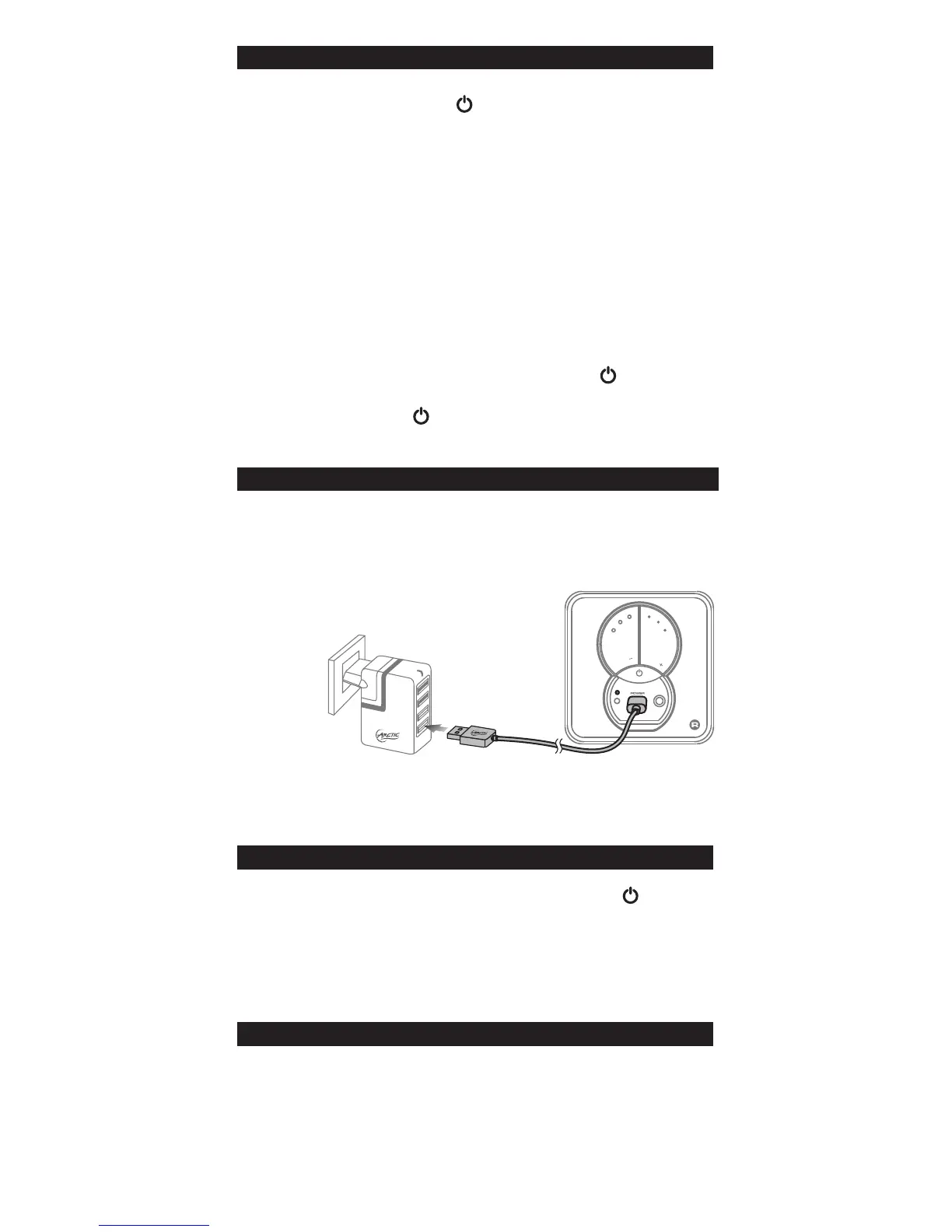
The S111 BT can be charged while switched on or off.
1. Insert the micro USB cable into the S111 BT and the USB
side into a power source.
2. When the Blue light on constantly the S111 BT is fully
charged.
Charging
ARCTIC
LINE IN
V
O
L
V
O
L
Micro USB Cable
Charger Pro 4 Rev
.2
It is recommended to fully charge before initial use.
Ÿ Wireless connections are affected by obstructions such as
walls and other devices.
Ÿ Keep S111 BT dry, moisture may damage electronic
components.
Ÿ Exposure to high temperature will shorten the life and damage
electronic components.
Ÿ Opening / altering the S111 BT voids all product warranty.
Ÿ Rough handling may damage inside electronic components.
Cautions
Restore to Factory Settings
To reset your speaker to factory settings;
1. Turn on S111 BT by short press the power button .
2. Then press the VOL - and VOL + buttons
simultaneously for 8 seconds
3. Let go after 8 seconds, the speaker will turn off
automatically.


 To Next Page
 Loading...