16
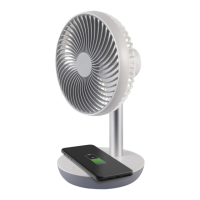
Keep press for about 3 seconds the button switch to activate the
wireless charging. The four indicator lights will blink in the control panel
for 5 seconds. Place the phone on the wireless harging area within 30
seconds. The wireless charging function will automatically deactivated
after 30 seconds the mobile phone has been removed.
N.B: the wireless charging must be supported by mobile phone.
When the battery of the fan is lower than 5% of charge, the rst indicator
light on the left start to blink.
Charge the fan by using the USB cable provided. When the unit is under
charging, the indicators light would ash progressively.
When the battery is 25% charged, the rst indicator light on the left will
turn on; when the battery is 50% charged two indicator lights will turn on;
when the battery is 75% charged three indicator light will turn on; when
the battery is fully charged all the indicator light will be on.
The fan is provided with input USB 5V used to charge the fan and with
output USB 5V can be used to charge mobile or others USB devices.
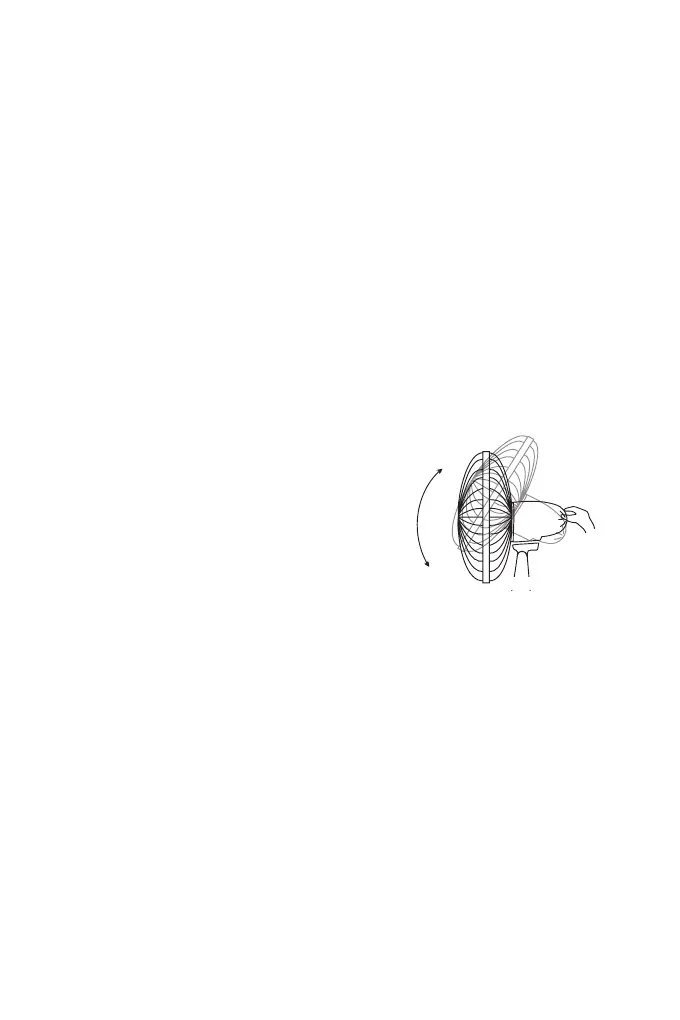
VERTICAL SLOPE:
You can vertically point the front of the fan
choosing the desired angle. It is sufcient to
move the front of the fan up or down according
to the desired slope.
Batteries
The appliance contains a Li-ion battery.
Remove the batteries from the appliance before its disposal, by following
instructions:
Note: this operation shall be conducted by a skilled persons.
1. Make sure that the batteries are completed discharged;
2. Remove the rubber foots from the bottom of the appliace in order to
reach the screws;
3. Remove the screws from the bottom;
4. Cut the battery cables: WARNING, CUT ONE CABLE AT A TIME WITH
DIFFERENT LENGTH. CABLES MUST NOT TOUCH TOGETHER.
5. Remove the battery.
6. Dispose the battery and the appliance as described it the DISPOSAL
section.


 To Next Page