15
GB
USING THE MULTIFUNCTION OVEN
Four different operating modes may be selected for this electric oven:
1. MANUAL OPERATION WITH NO PROGRAMME
The oven may be used with no programme, and cooking is
started and stopped (switching on and off) manually.
• Select the required function with the right-hand keypad (A).
• If necessary, use
and/or to set the cooking temperature in programmes
not using the GRILL (
2,3,4,5,6,7,8) or the percentage grill power in grill
programmes (9, 10)
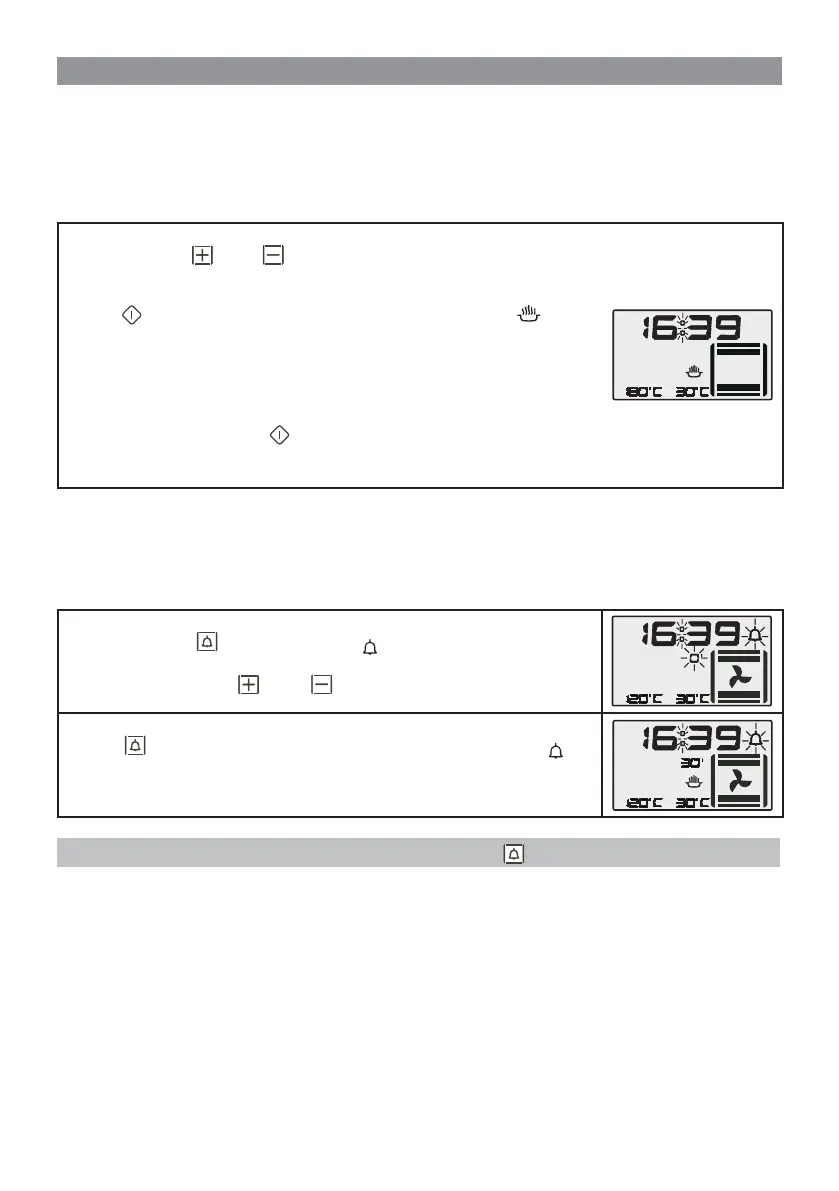
• Press
to start the function. A beeper sounds to confi rm and the symbol
turns on.
• During cooking, in programmes that do not use the GRILL, the temperature
can be changed in 10°C steps between 50°C and the maximum temperature
allowed for that particular programme. In programmes where the GRILL is used
the percentage can be changed between the values 10% and 100%.
• Cooking continues until the
button is pressed or when the MAX cooking
timeout - set at 199 minutes - has elapsed. A beeper sounds to confi rm that the
oven is off.
2. MANUAL OPERATION WITH TIMER
The oven works manually in this mode but the timer is set. An acoustic signal sounds at the end of the time set
on the timer.
This signal warns the user that the time set is fi nished but it has absolutely no infl uence on cooking, for
which the considerations in paragraph “1. MANUAL OPERATION WITH NO PROGRAMME” are applicable.
• Press the button . The relative symbol and the “0” value for the minutes
start fl ashing.
• Set the minutes with the
and/or buttons (max 199).
• Press again to confi rm. The display now shows only the symbol and
a countdown timer starts from the set minute value. Once the set time has
elapsed, a beeper sounds for 1 minute. Press any button to mute the beeper.
N.B. The TIMER may be deactivated ahead of time by pressing .
USER INSTRUCTIONS


 To Next Page