5
Notice
To reset the device, press and hold the reset button for 5 seconds.
The camera beeps when the operation is complete.
3. Camera configuration
Step 1 Turn on your camera by plugging in the power adapter.
Step 2 Connect your smartphone to the Wi-Fi network.
Step 3 Download Arenti app from the App Store or Google Play depending on your
device.
Step 4 Launch Arenti app and sign up for the f1rst use.
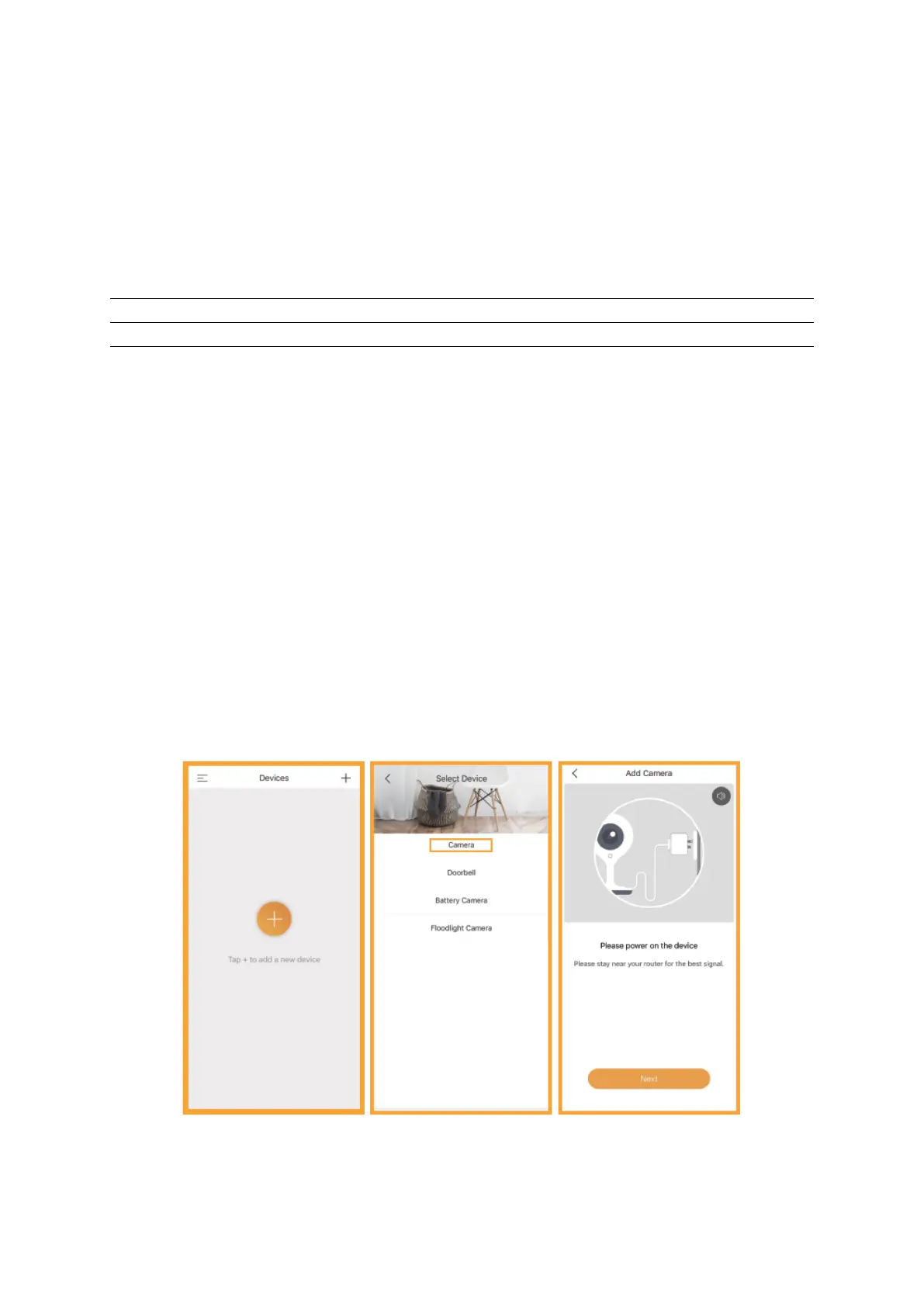
Step 5 Follow the steps below to add your camera, then follow the on-screen
instructions.



 To Next Page