2. Setup and Installation
Set up the Camera
•What you’ll need.
1. Wi-Fi and a working broadband internet connection with at least 2 Mbps upload
speed.
2. A phone or tablet with iOS 8 or later or Android 4.2 or later
3. A power outlet
•Power on
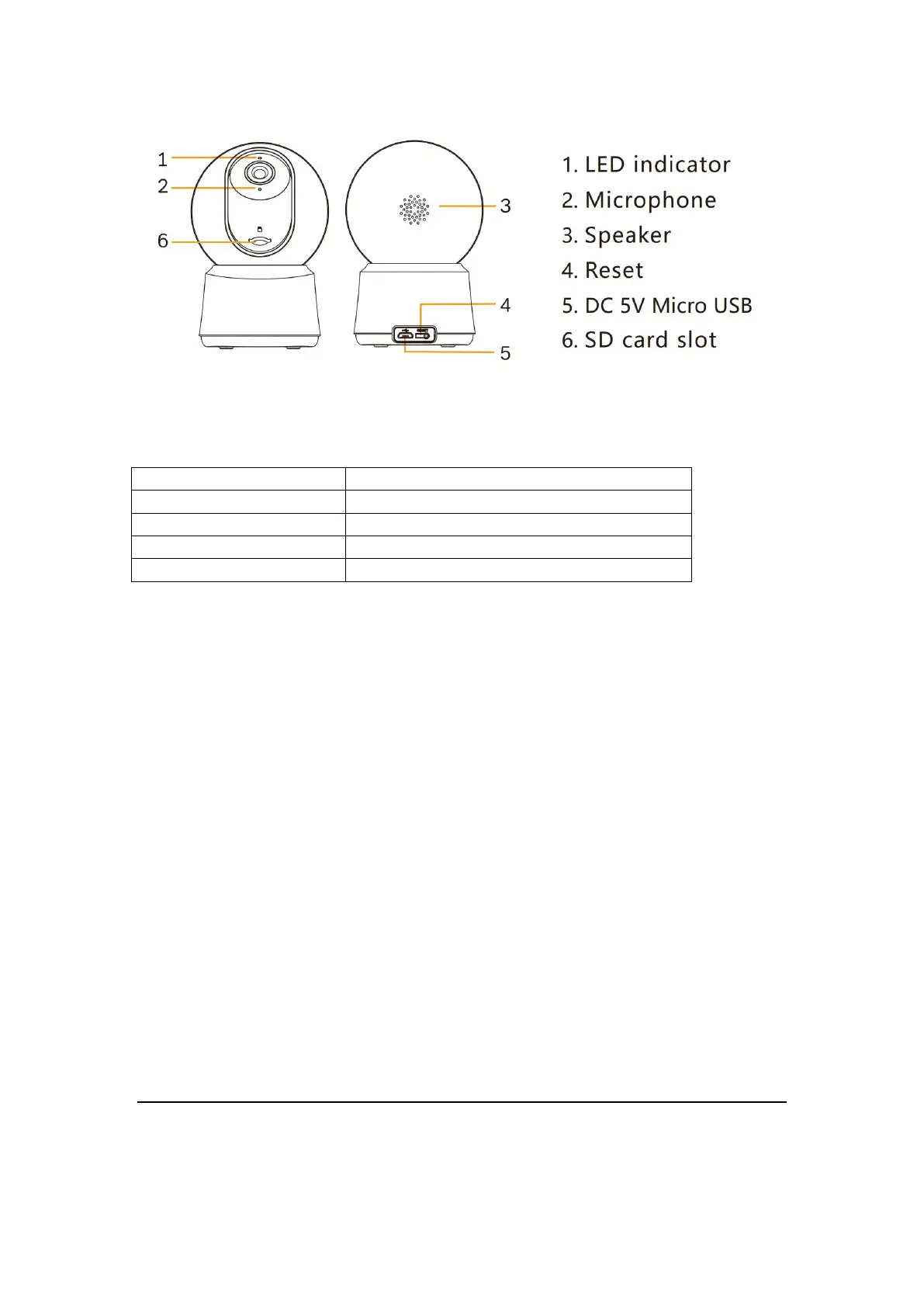
Plug the power cable into the Micro-USB power port on the back of the camera, the camera will
automatically turn on, wait for the 30s, the indicator light will flash red slowly means boot up is
finished.
Tip: Do not move the lens of the camera to force it to rotate after turning it on.
Connect Arenti APP
Scan QR code to download and install the Arenti APP. Also, you can search ‘Arenti on App
Store (IOS); Play Store(Android). Download and install Arenti APP. Regiser and log in.



 To Next Page