EasyManua.ls Logo

Argo ORFEO - Controls and Maintenance; Control Panel Overview; Cleaning and Maintenance

Argo ORFEO
8 pages
Print Icon
To Next Page IconTo Next Page
To Previous Page IconTo Previous Page
Loading...
V 02/19
16
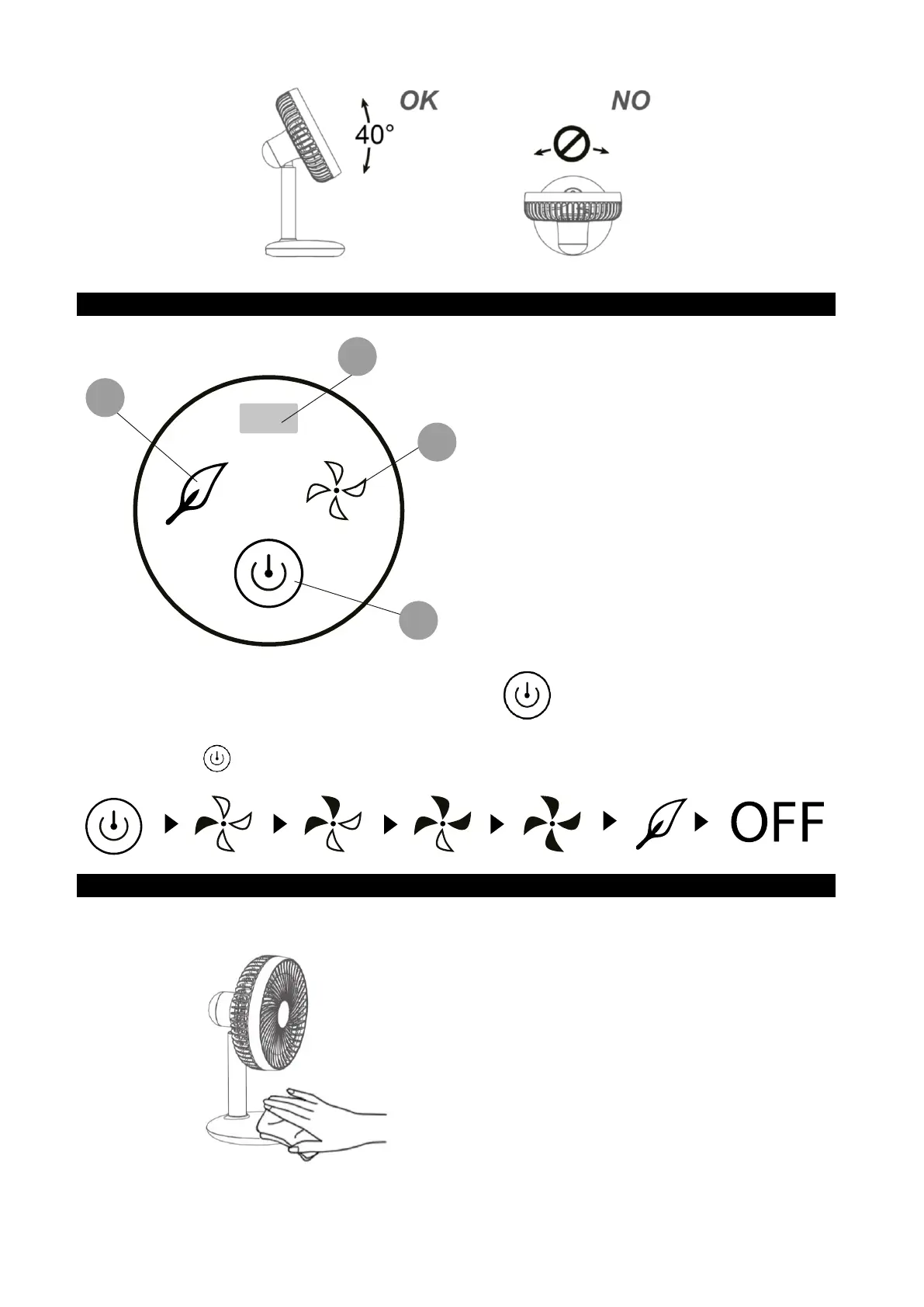
DISPLAY, REMOTE CONTROL AND CONTROL PANEL
A. ON/OFF BUTTON
B. FAN SPEED LED INDICATOR
C. 
D. BATTERY LEVEL LED
INDICATOR
Press the ON/OFF button for about 3
seconds to turn ON/OFF the fan
Press this buttons repeatedly to increase/decrease the fan speed 
MAINTENANCE AND STORAGE
ALWAYS UNPLUG THE APPLIANCE BEFORE CLEANING OR MAINTENANCE.
Cleaning the outside surface of the
appliance
Turn the switch off and unplug before carrying
out any maintenance work or moving the
appliance.
Use a soft cloth to remove any dust from the fan.
If the fan is excessively dirty, use a soft cloth
moistened with water and a mild detergent at a
temperature lower than 50°C. Let the fan dry
completely before use. Do not use corrosive
detergents or solvents such as petrol. Do not
wash the appliance with water. Do not use oils,
chemical substances or other items to clean that


Related product manuals