www.argonaudio.com
2. Usage, controls and connections
Argon Audio BT3 has 3 functions. It can work as:
A. Bluetooth Receiver
B. Bluetooth Transmitter
C. High End D/A converter
Start up and main usage:
Connect the power supply to the Argon Audio BT3 and connect the power supply to
a power outlet.
Power Off: short press power button, Power On: short press power button.
Off light is red, ON light is blue
To pair or un-pair, press and hold pairing button for 3 sec.
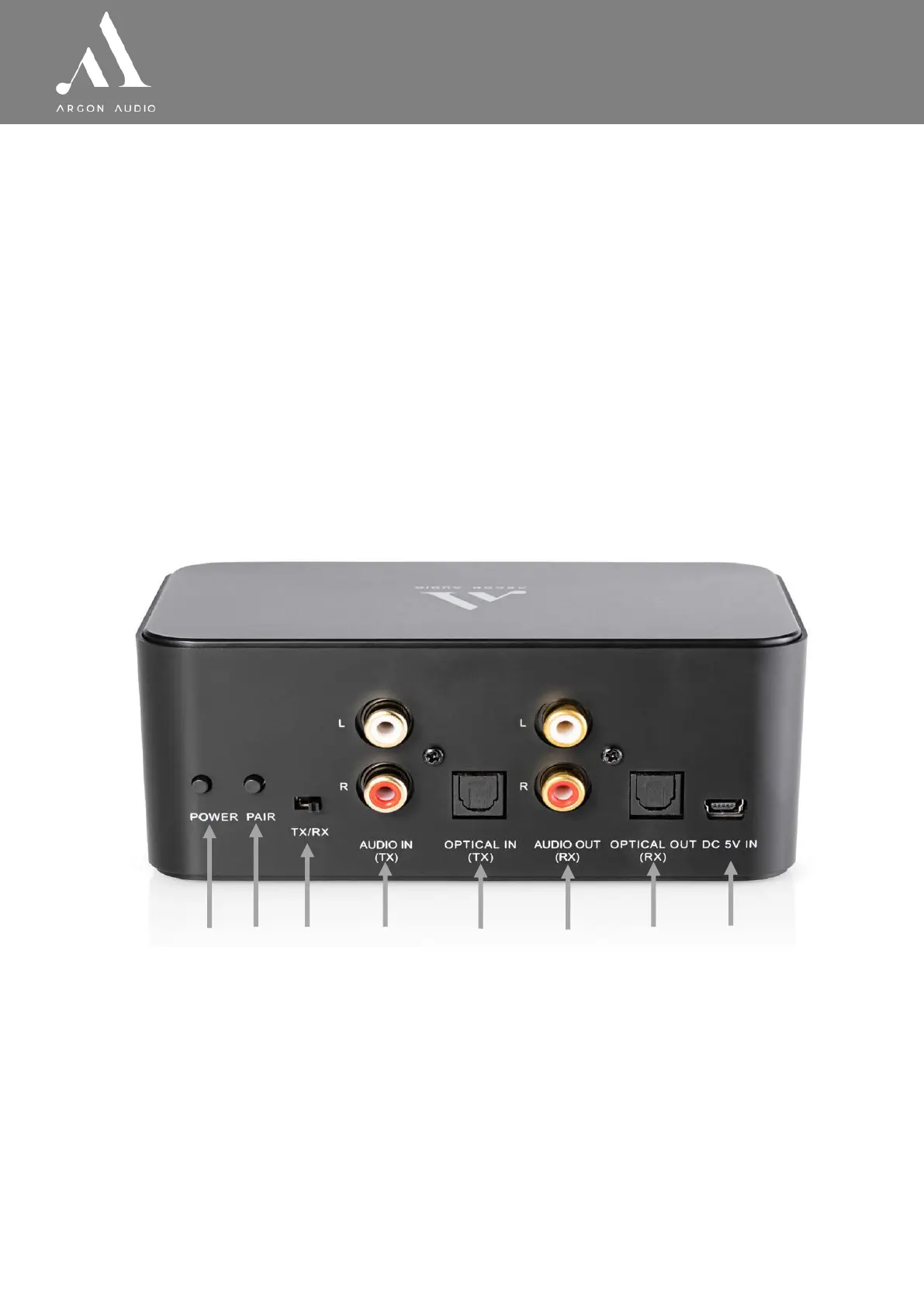
2.1 Overview of the Back panel
1. POWER (1). on/off button. Press to power ON or power OFF.
ON will be indicated by a Blue LED light on the front. OFF will be indicated by a
Red LED light on the front.
① ②
③
④
⑦
⑥ ⑤
⑧


 To Next Page