EasyManua.ls Logo

argon audio Freestyle - User Manual

argon audio Freestyle
2 pages
Print Icon
To Next Page IconTo Next Page
Loading...
F r e e s t y l e
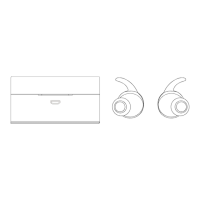
Contents of the box:
Buttons and functions:
Charging the hub:
Please fully charge the charging hub before using for the first time.
Connect the USB charging cable to a USB port /power supply and
the other end to the micro USB port on charging hub. Make sure it
is plugged in.
The LED lights indicate that the device is charging:
Charge Percentage
LED indicator
0%-25%
1
25%-50%
2
50%-75%
3
75%-100% 4
Charging the earbuds:
Please fully charge the earbuds before using for the first time
Place earbuds into charging hub, press the activation key on
the middle of the charging hub and close the charging case. A
red light will turn on when charging begins
The red light will turn into blue light when charging is completed.
The blue light will turn off within 5 minutes
When earbuds are detached from the charging hub, they will
automatically power on
NOTE: Charge time is approximately
2 hours
Important! Always close the charging case when charging, or
the earbuds will begin to work and pair automatically
Question and Answer IconNeed help?

Do you have a question about the argon audio Freestyle and is the answer not in the manual?

Summary

Charging the Hub

Charging the Earbuds

Turning Earbuds On and Off

Bluetooth Pairing

Connecting with Paired Device

Single Earbud Pairing

Basic Operation

Power Off and Reset

Procedure to turn off earbuds or reset them to factory settings using the MFB button.

Hands-Free Calling

Instructions for answering, ending, or rejecting calls using the Multifunction Button (MFB).

Music Control

Guide for controlling music playback, pausing, skipping tracks, and volume with the MFB.

Voice Assistant

How to activate the voice assistant on your connected device using the MFB.

argon audio Freestyle Specifications

General IconGeneral
Brandargon audio
ModelFreestyle
CategoryHeadphone
LanguageEnglish