Need help?
Do you have a question about the argon audio One M.2 and is the answer not in the manual?
Connect the Raspberry Pi to the HDMI-Audio board and apply silicon thermal pads.
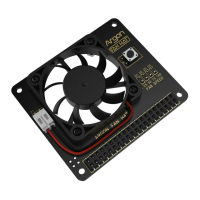
Connect the Raspberry Pi's GPIO pins to the Power and Cooling Board, ensuring no microSD card is inserted.
Secure the Raspberry Pi and HDMI Board assembly to the top case using specified screws.
Configure power button behavior using jumper pin settings for different modes.
Install your M.2 SATA SSD onto the Argon ONE M.2 SATA Expansion Board, noting NVME incompatibility.
Insert the microSD card and secure the bottom cover with screws and rubber footings.
Connect the M.2 SATA to USB 3.0 Bridge to the back of the case.
Connect remaining cables and press the power button to turn on the device.
Install the Argon ONE Pi 4 script via terminal for advanced control features.
Details the functions of the power button based on press duration and type.
Explains default fan speed settings and how to customize them.
Instructions for uninstalling the Argon ONE Pi 4 script via desktop icon or terminal.
Instructions for configuring the infrared receiver for device control.
 General
| Brand | argon audio |
|---|---|
| Model | One M.2 |
| Category | Computer Accessories |
| Language | English |

 To Next Page