INSTRUCTION MANUAL
INTRODUCTION
Congratulations on your purchase of ASW01 watch, which
has all features of a multi-function watch:
. Real-time with Month, Date and Weekday
. Stopwatch with split time function
. Daily alarm and hourly chime
CONTROL BUTTONS
A: START/STOP
B: LAP/RESET
C: MODE
A beep will sound to register successful entry when the A or
B button is pressed on stopwatch.
DISPLAY MODES
The watch has four display modes: Real time, Stopwatch,
Daily alarm and Time Setting.
- To change one display mode in the sequence of : Real time,
Stopwatch, Daily alarm and Time Setting, press the C button
once.
- If no button is operated for a few minutes in Alarm Mode,
the watch goes back to the real time automatically.
- After setting in Daily Alarm mode or operated in Stopwatch
mode, Press the C button once to enter to Real time mode.
TO SET THE TIME, DATE AND HOUR FORMAT
From Real time mode
1. Press button ‘C’ 3 times.
2. Press button ‘A’ to ‘00’ seconds.
3. Press button ‘B’ to select hour, Press ‘A’ to advance
hour(s).
4. Repeat sequence for minutes – month – date – day of
week. When all are set, press ‘C’ to confirm and return to
real time.
. If no button is operated for a few minutes while a
selection is blinking, the watch goes back to the real time
automatically.
TO SELECT 12/24 HOUR FORMAT
While hour digits are selected, press the A button to
select 12/24 hour format.
Day of the week abbreviations as below:
MO: Monday TU: Tuesday WE: Wednesday
TH: Thursday FR: Friday SA: Saturday
SU: Sunday
TO USE THE STOPWATCH
For a straight forward count-up:
1. Press the C button to select Stopwatch mode, if the
last recorded time of the stopwatch will be displayed,
press the B button to clear.
2. Press the A button once to start the stopwatch. The
watch will start counting from 00’00’’00 if the watch
is cleared, otherwise it will pick up from where it last
left off.
3. To stop counting, press the A button once, press the
button again to resume from where it left off.
4. To clear the stopwatch, press the A button to stop
counting and then press the B button.
The stopwatch is equipped with a split function for you to
keep track of individual lap times. To use the function:
1. While the stopwatch is running, press the B button
once whenever you want to register a lap. The
stopwatch is still running in the background. To
display the currently accumulated time, press the B
button.
2. Repeat the last step until you have registered all the
laps desired.
3. Press A to stop counting. Press the button again to
resume or press the B button to clear.
The range of the stopwatch is 23 hours, 59 minutes and 59,99
seconds.

 Need help?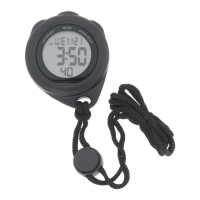

 To Next Page
 General