EasyManua.ls Logo

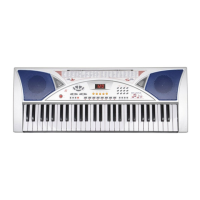
Argos MK-2054 User Manual

Argos MK-2054
11 pages
To Next Page IconTo Next Page
Page #1 background imageLoading...
Page #1 background image
Instruction Manual - Please keep for future reference
Acoustic Solutions Midsize Keyboard
MK-2054
03-06
PRODUCT GUARANTEE
This product is guaranteed against manufacturing defects for a period of
This product is guaranteed for twelve months from the date of original purchase. Any
defect that arises due to faulty materials or workmanship will either be replaced,
refunded or repaired free of charge where possible during this period by the dealer
from whom you purchased the unit.
The guarantee is subject to the following provisions:
-  The guarantee does not cover accidental damage, misuse, cabinet parts, knobs
or consumable items.
-  The product must be correctly installed and operated in accordance with the
instructions contained in this manual.
-  It must be used solely for domestic purpose.
-  The guarantee will be rendered invalided if the product is re-sold or has been
damaged by inexpert repair.
-  Specifications are subject to change without notice.
-  The manufacturer disclaims any liability for the incidental or consequential damages.
-  The guarantee is in addition to, and does not diminish your statutory or legal rights.
Guarantor: Argos Ltd
489 - 499 Avebury Boulevard
Central Milton Keynes
MK9 2NW
Year
Question and Answer IconNeed help?

Do you have a question about the Argos MK-2054 and is the answer not in the manual?

Argos MK-2054 Specifications

General IconGeneral
Number of Keys54
Number of Sounds100
Number of Rhythms100
Keyboard TypeStandard
Built-in SpeakersYes
Rhythms100
DisplayLCD
Polyphony8 notes
Power SupplyDC 9V
Power SourceBattery or Adapter

Summary

Product Guarantee

Important Safety Instructions

General Safety Precautions

Guidelines for safe operation, handling, and environment.

Electrical Safety

Warnings and requirements related to the mains lead and electrical supply.

Know Your Machine

Using With Batteries

Instructions for powering the keyboard using batteries.

Using With AC/DC Adaptor

Instructions for powering the keyboard using the AC/DC adaptor.

Set Up

Connecting microphones, external speakers, and setting up the music stand.

Basic Operation

Volume Adjustment

Adjusting master and accompaniment volumes.

Performance of Demo Songs

Playing demo songs and selecting them.

Timbres Selection

Selecting instrument sounds (timbres).

Sound-effect Control

Managing sustain and vibrato effects.

Rhythmic Accompaniment

Selecting and controlling rhythmic accompaniments.

Accompaniment Control

Managing accompaniment start, insert, and sync functions.

Auto Bass Chord

Using single-finger, multi-fingered, and manual chord modes.

Percussion Performing and Programming

Using percussion sounds and programming rhythms.

Record and Playback

Recording and playing back keyboard performances.

Teaching Function

Utilizing the one-key and guide teaching modes.

Appendix

Timbres Table

A list of available instrument sounds (timbres).

Rhythms Table

A list of available rhythmic styles.

Specifications