EN - 11
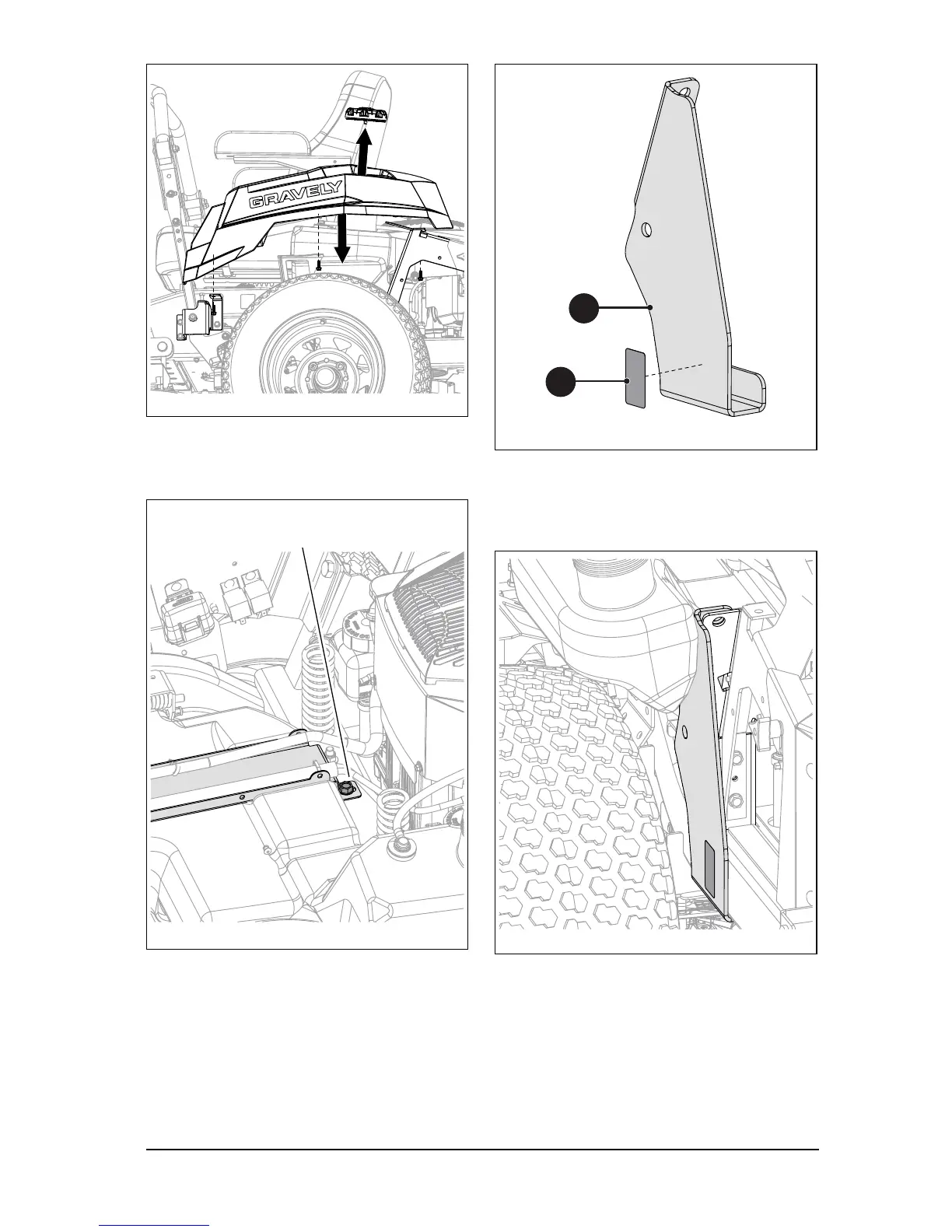
4. Loosen the rear fuel tank strap mounting
bolt to allow some fuel tank movement.
See Figure 6.
5. Clean surface thoroughly and attach one
transmission disconnect decal (item 35)
to left-side support bracket (item 8). See
Figure 7.
6. From above unit, position bracket on
frame. It may be necessary to move the
fuel tank filler slightly to provide
clearance. See Figure 8.
7. Reinstall fender but DO NOT install hex
screws at this time.
8. Reinstall fuel cap.
Figure 6
Loosen fuel tank hold-down bolt to
allow fuel tank to move.



 To Next Page