EasyManua.ls Logo

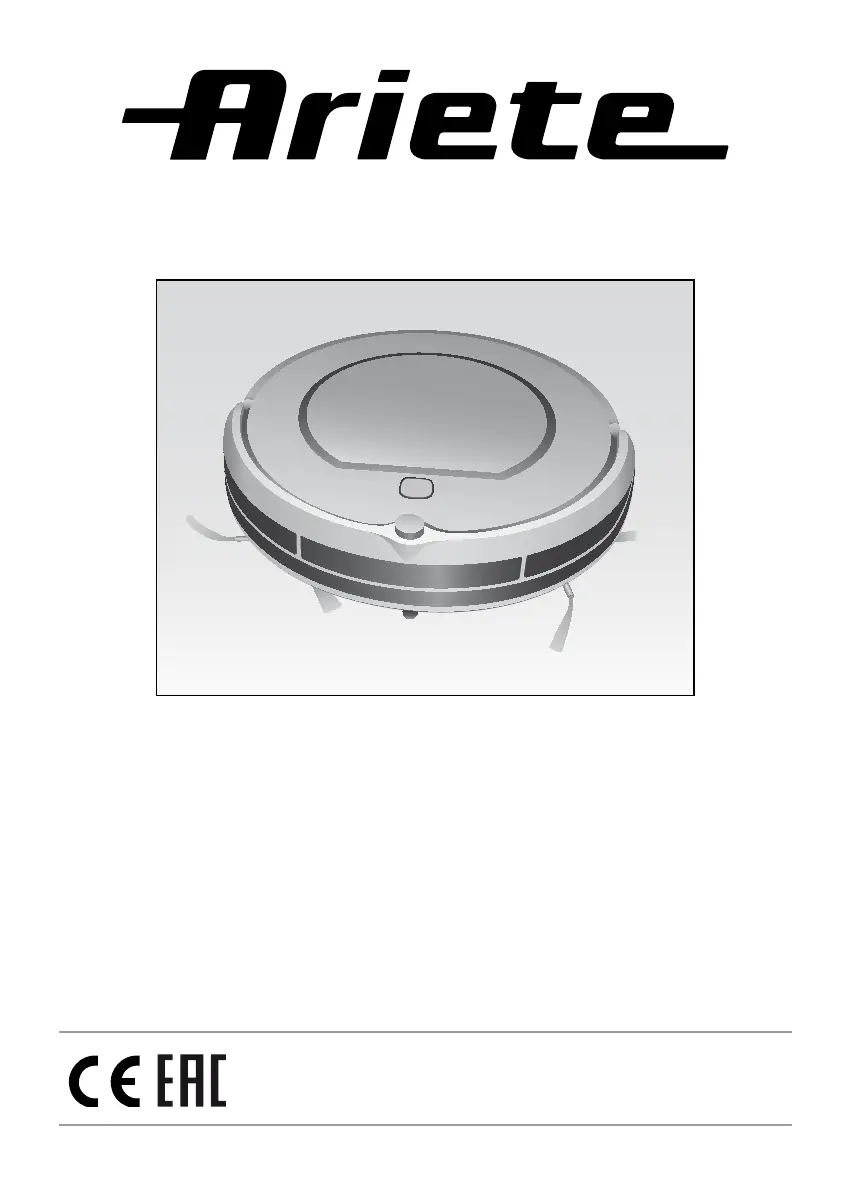
ARIETE 2712/1 - User Manual

ARIETE 2712/1
90 pages
Go to English
Print Icon
To Next Page IconTo Next Page
Loading...






Questions and Answers

  • R
    Robert GouldAug 13, 2025
    What to do if the ARIETE Vacuum Cleaner shows icon (13) and “!” on?
    • M
      Michael KellyAug 13, 2025
      If the icon (13) and “!” are illuminated, it indicates that the dust container is full or the suction opening is blocked. To resolve this, clean the dust container and the suction opening.
  • L
    lindseyandersonAug 17, 2025
    Why does my ARIETE 2712/1 display code E14?
    • C
      Christina BellAug 17, 2025
      The E14 error code indicates that there's no battery or the robot is off. Ensure that the batteries have been properly inserted or that the power button is switched to the ON position.
  • O
    oparkerAug 21, 2025
    What to do if my ARIETE Vacuum Cleaner displays code E05?
    • R
      Regina MurphyAug 21, 2025
      The E05 error code indicates a defect in the sensor beam for low obstacles. You should clean the sensors. If the problem continues, send the appliance for repairs.
  • F
    fclarkAug 25, 2025
    Why does my ARIETE 2712/1 Vacuum Cleaner show error code E06?
    • T
      Tammy FranklinAug 25, 2025
      Error code E06 indicates a defect in the sensor beam for high obstacles. Check the sensitivity of the sensor beam and ensure there are no foreign objects obstructing it.
  • L
    lindsey62Aug 28, 2025
    What to do if ARIETE 2712/1 displays error code E11?
    • C
      Corey JenkinsAug 29, 2025
      Error code E11 indicates a product malfunction. Switch off the appliance.
  • A
    Ashley BennettSep 1, 2025
    What to do if ARIETE Vacuum Cleaner displays error code E12?
    • K
      Kristin MichaelSep 1, 2025
      Error code E12 indicates a product malfunction. Switch off the appliance.
  • D
    Deborah RamirezSep 5, 2025
    What to do if ARIETE Vacuum Cleaner displays error code E13?
    • T
      Tony WoodardSep 5, 2025
      Error code E13 indicates a product malfunction. Switch off the appliance.
  • W
    William ArnoldSep 8, 2025
    What to do if my ARIETE 2712/1 Vacuum Cleaner displays code E09?
    • P
      Patricia DrakeSep 8, 2025
      If your ARIETE Vacuum Cleaner displays code E09, move the Robot and restart it.

Summary

Important Safeguards

Child Hazard Warnings

Warns about hazards for children and supervision requirements.

Electrical and Battery Dangers

Highlights dangers related to electricity and batteries.

Other Hazard Precautions

Lists general hazards like exposure to elements, heat, water, and damaged parts.

Material Damage Prevention

Advises on avoiding material damage from improper use or cleaning.

Product Disposal Guidance

Provides guidance on proper disposal of the appliance and batteries.

Description of Robot and Parts

Instructions for Use

Charging Station Placement

Instructions on where and how to position the charging station.

Direct Battery Charging

Method for charging the robot's battery using the power adapter.

Charging via Charging Station

Instructions for placing the robot on the charging station for power.

Auto-charge Functionality

Explanation of the robot's ability to return to the charging station automatically.

Notes About Charging and Autonomy

Initial and Subsequent Charging Times

Details on required charging times for first use and subsequent charges.

Robot Status Indicators

Explains display readings for charging status (charging, low battery, complete).

Battery Lifespan and Maintenance

Tips to extend battery life and precautions regarding battery storage and temperature.

Operation in Start Mode

Robot Status: Pause and Stand-by

Describes the robot's 'pause' and 'stand-by' modes and how to transition between them.

Starting a Cleaning Cycle

Instructions on how to initiate a cleaning cycle from different modes.

Stopping a Cleaning Cycle

How to stop an active cleaning cycle and return the robot to different modes.

Cleaning Modes

Automatic Cleaning

Explains the automatic cleaning mode, including route changes and spot cleaning.

Spot Cleaning

How to use the spot cleaning mode for localized dirt.

Perimeter Cleaning

How to activate and use the perimeter cleaning mode along walls and furniture.

Linear Cleaning

How to manually control the robot's movement using directional buttons.

Return to Home Base

Instructions on how to command the robot to return to its charging station.

Virtual Wall

Virtual Wall Functionality

Explains how to install and position the virtual wall to block off areas.

During the Cleaning Cycle

Obstacle and Height Difference Handling

How the robot handles obstacles, corners, and floor height differences.

Carpet and Rug Cleaning Precautions

Warnings about cleaning carpets with fringes or shag pile.

Daily Cleaning Programming

Setting the Date and Time

Guide to setting the current date and time on the robot.

Programming Schedule (Appliance Body)

Steps to set a daily cleaning program using the robot's control panel.

Programming Schedule (Remote Control)

Steps to set a daily cleaning program using the remote control.

Cleaning and Maintenance

Side Brushes Maintenance

Instructions for cleaning and replacing the side brushes.

Dust Container Cleaning

Procedure for emptying and cleaning the dust container after each use.

HEPA Filter Cleaning and Replacement

Guidance on cleaning the HEPA filter and its replacement schedule.

Sensor Cleaning

How to clean the robot's sensors and suction passage for optimal performance.

Troubleshooting

Error Handling and Reset Procedures

Guidance on interpreting error codes and performing a system reset.

Characteristics

ARIETE 2712/1 Specifications

General IconGeneral
Dust capacity2.5 liters
Cord length5 meters
Weight4.5 kg
Noise level78 dB
Power700 W
Filtration systemHEPA
FiltersHEPA filter

Related product manuals