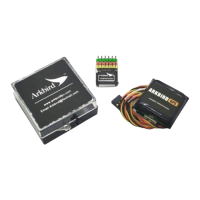
Arkbird
4. Set Mix, Reverse, Custom modes
1)Set the correction Direction:
Press the setting button 5 times (yellow on and blue off ) to enter the waiting mode for
setting the direction (yellow and blue flashing quickly). At this time, toggle channels 1, 2, or 4
stick to the edge for setting the Direction for that channel;
2)Neutral Check:
Neutral point alignment needed under first installation, not used for weeks, or temperature
variation is more than 10 degrees.
Long press the settings button on the flight control for 5 seconds, or swipe CH5 12 times
through the settings menu to enter the calibration waiting mode. The aileron will automatically
fill to the right to indicate waiting for flattening. (The LED light alternates between yellow and
blue, flashing slowly);
Put the autopilot paralleled to the ground (Please prop up if there is a landing gear), and
move CH1 left and right to do 3-seconds neutral point check. Aileron will be back to center once
finished.
3)Use CH5 CH6 to Set Mix, Reverse, Custom modes
1) Set the channels 5 and 6 to low position (manual mode), and the control levers of aileron
CH1, lift CH2, and direction CH4 to center;
2) Switch the CH6-channel five times within five seconds to enter the setting mode (at this
time, the yellow and blue lights are on simultaneously)
3) Then Switch the CH5 channel several times to enter different settings:
>Switch 2times(yellow off/blue on ) - set the mix mode (Normal – Fly wing- V tail) cycle;
>Switch 3times(yellow on/blue off ) – wait to set the of one channel direction and set the
rudder amount to 25% (minimum);
Wait with alternating yellow and blue flashing quickly. At this time, move one channel to the
edge (aileron CH1 to the right edge, lift CH2 lever, and direction CH4 to the right edge), and set
the amount of that channel to 25%; If the balance mode quantity is reversed, please repeat this
step and turn the rudder quantity to another direction;
> Switch 4 times(yellow off/blue on )- set the direction of the channel rudder and set the
rudder to 50%; (Same as above)
> Switch 5 times(yellow on/blue off ) - set the direction of the channel rudder and set the
rudder to 75%; (Same as above)
> Switch 6 times(yellow off/blue on )- set the direction of the channel rudder and set the
rudder to 100%; (Same as above)
(For example, if the elevator needs to be set in reverse and the elevator amount is 75%,
first Switch the 6-channel rudder amount 5 times, then Switch the 5-channel rudder amount 5
times, and then pull the elevator all the way down.)
>Switch 7times(yellow on/blue off )- Set the custom mode to balance mode;
>Switch 8times(yellow off/blue on ) - set the custom mode to electronic Fence mode;


 To Next Page
 Loading...