ARMIGA User Guide v0.8
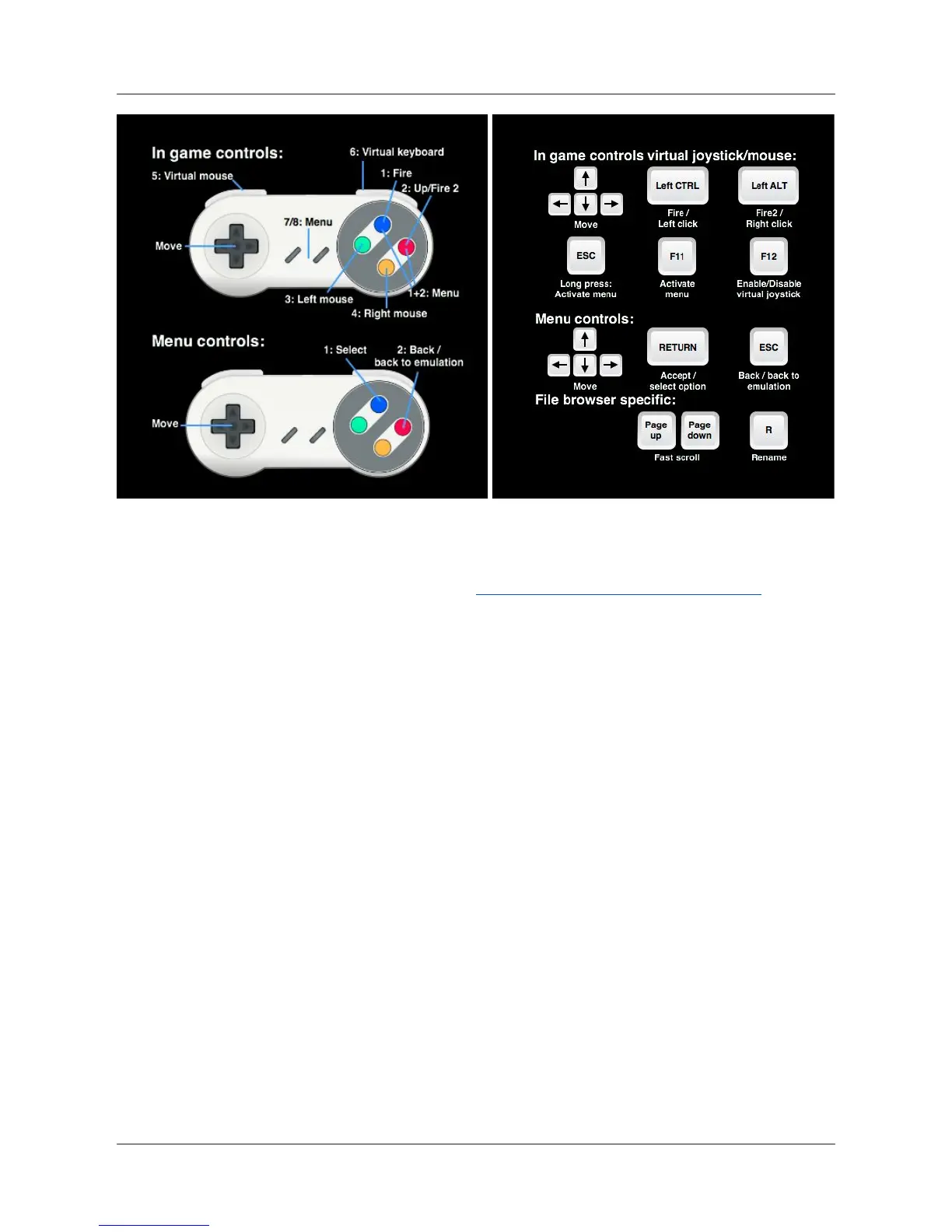
Use the arrows in your joystick/pad or your keyboard as in the original Amiga.
You can change gamepad controls as shown in Settings: Changing gamepad controls.
5.4.1. In-Game menu
While playing a game, the in game menu can be shown up by pressing F11 on your keyboard,
buttons 7 or 8 on your joystick/pad, or pressing buttons 1 and 2 on your joystick/pad at the
same time.
A lateral menu will be displayed on the right side of the screen.
18


 To Next Page
 Loading...