North America • Latin America • India • Europe / Middle East / Africa • China • Pacific Rim
armstronginternational.com
Designs, materials, weights and performance ratings are approximate and subject to change without notice. Visit armstronginternational.com for up-to-date information.
50
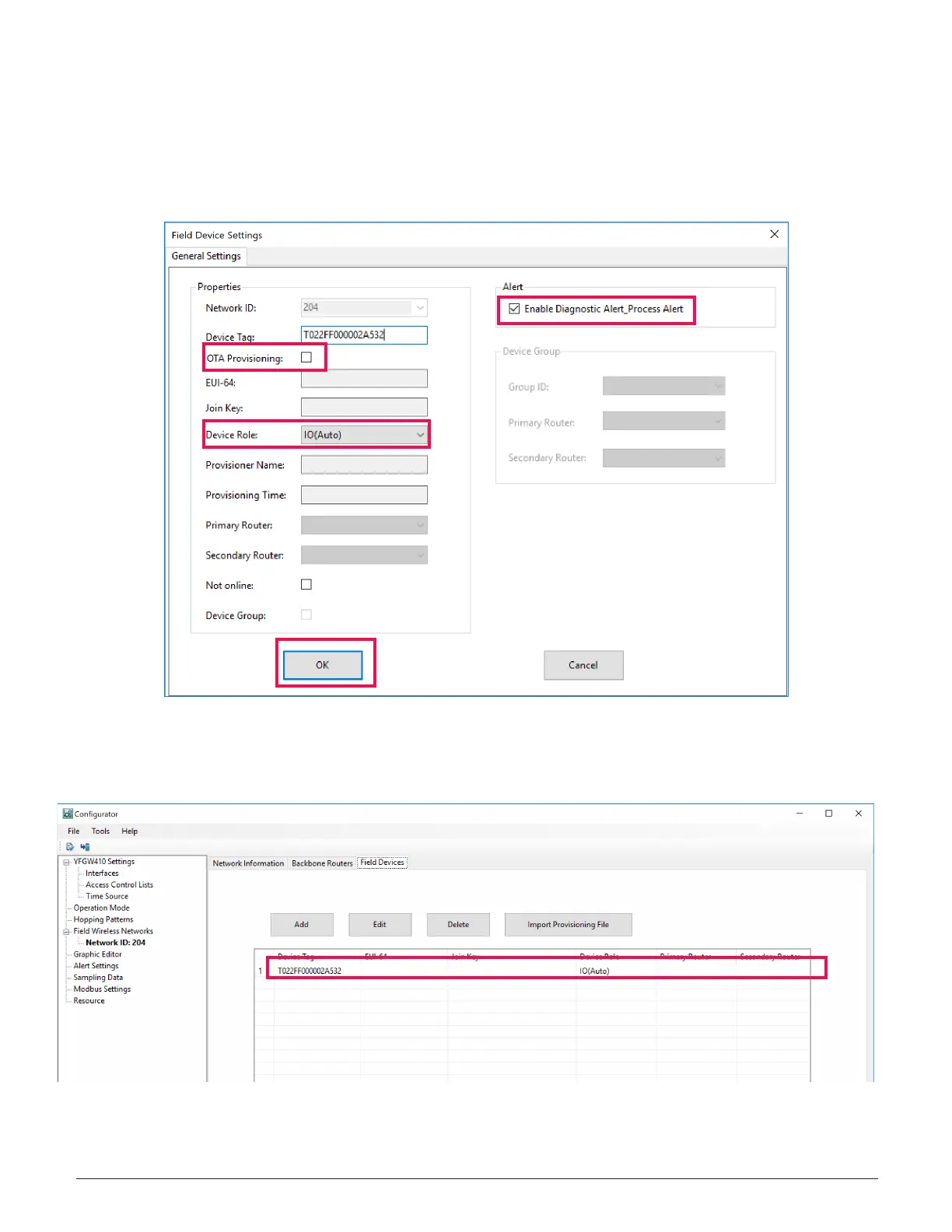
10. Verify the following and select OK.
• The “OTA Provisioning” check box is selected (for both OTA and IR Provisioning methods)
• The device role is selected in the desired function (Default: “IO(Auto)”)
• The “Enable Diagnostic Alert_Process Alert” check box is selected
11. The ST6700 Monitor has been added to the list of Field Devices.
2.0 Wireless System Configuration – continued



 To Next Page