EasyManua.ls Logo

ARMTEL ARMT.665230.006UM - User Manual

ARMTEL ARMT.665230.006UM
44 pages
Print Icon
To Next Page IconTo Next Page
Loading...
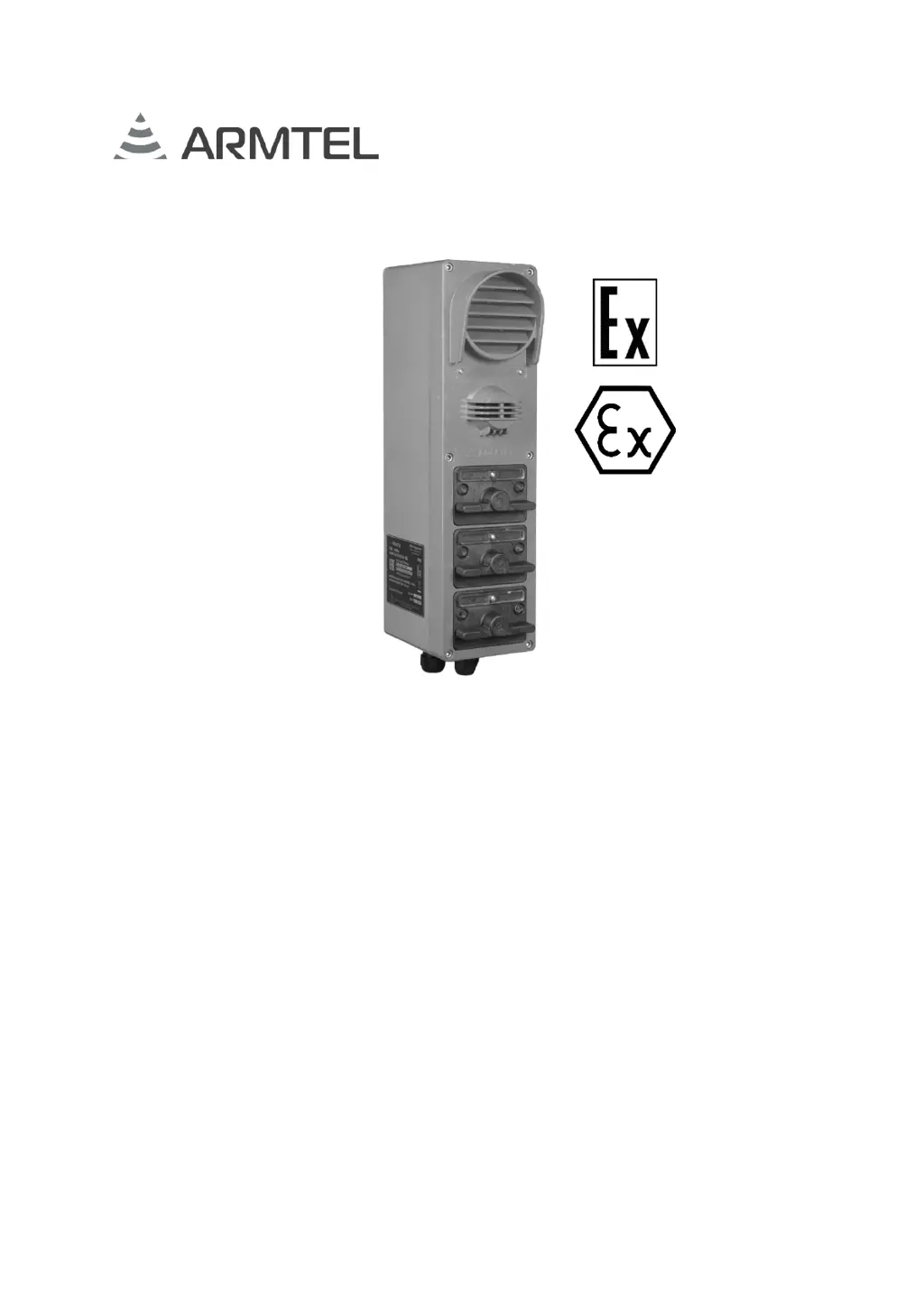
DWEx Digital Loud-Speaking
Explosion Proof Call Station
ARMT.665230.006UM
User Manual
Document version 8
26.30.11.190
2020

Questions and Answers

  • V
    Veronica CharlesAug 16, 2025
    Why the caller does not hear on ARMTEL ARMT.665230.006UM?
    • J
      Joshua MartinezAug 16, 2025
      If the caller or called subscriber cannot be heard, there might be two reasons. First, the speaker volume (microphone or handset sensitivity) could be set to the minimum; in this case, adjust the volume using the special controller. Second, the cable of the speaker (microphone, handset) may not be connected properly or could be defective; check the connection and ensure the integrity of the speaker (microphone, handset) cable.
  • C
    Chelsea WrightAug 19, 2025
    What to do if LED indicators frequently flashing and communication is impossible on ARMTEL ARMT.665230.006UM?
    • P
      Pamela MackAug 19, 2025
      Frequent flashing of LED indicators accompanied by communication issues can stem from a few causes. It could be due to a loss of communication with the central exchange; in this case, check the connection with the subscriber’s exchange and its operational ability. Another reason might be an incorrect configuration of the subscriber’s device; verify and correct the system configuration. Lastly, the «?2» socket of the KIB board might be disconnected or defective; ensure it is properly connected or correct the socket.
  • N
    nataliejohnsAug 22, 2025
    How to fix LEDs flashing one by one sequentially on ARMTEL Telephone?
    • J
      James RamseyAug 22, 2025
      If the LEDs are flashing one by one sequentially, it indicates that there is no connection between the KIB and the main board block. To resolve this, check the connection between the KIB and the main board block via the interface cable and verify that the cable is intact.
  • C
    craigbradleyAug 26, 2025
    What to do if there is no LED backlighting and communication is impossible on ARMTEL Telephone?
    • L
      laura63Aug 26, 2025
      If there is no LED backlighting and communication is impossible, first, check the power supply to the terminal block module. Second, check the boards connection, verify that the cable is intact, because the main board might not be connected to KIB board.
  • J
    johnwhiteAug 28, 2025
    Why is there no LED backlighting on my ARMTEL ARMT.665230.006UM?
    • J
      Jeffrey YangAug 28, 2025
      If there is no LED backlighting, the «?2» socket of the KIB board might be disconnected or defective. Connect «?2» or correct the socket to solve this issue.
  • T
    Timothy PorterAug 31, 2025
    What to do if the caller cannot be heard on ARMTEL Software?
    • T
      Tony SchultzAug 31, 2025
      If the caller or called subscriber cannot be heard when using ARMTEL Software, first, make sure the speaker volume, microphone, or handset sensitivity isn't set to the minimum; adjust it using the special controller. If the volume is properly adjusted, check the connection and integrity of the speaker, microphone, or handset cable.
  • C
    Cynthia WilkinsSep 3, 2025
    Why are the LED indicators flashing frequently on my ARMTEL Software and communication is impossible?
    • P
      Pamela BaileySep 3, 2025
      If the LEDs on your ARMTEL Software are flashing frequently and communication is impossible, there might be a few reasons. First, check the connection with the subscriber’s exchange and its operation ability, as communication with the central exchange might be lost. Secondly, verify the system configuration, as the subscriber’s device might be configured incorrectly. Finally, ensure that socket «?2» of the KIB board is properly connected and not defective; connect «?2» or correct the socket if needed.
  • B
    Becky AndersonSep 6, 2025
    How to fix ARMTEL Software when LEDs flash one by one sequentially?
    • S
      Sara WallaceSep 6, 2025
      If the LEDs on your ARMTEL Software flash one by one sequentially, it indicates that there is no connection between the KIB and the main board block. Check the connection between the KIB and the main board block via the interface cable, and verify that the cable is intact.
  • J
    Jonathan JimenezSep 9, 2025
    What to do if there is no LED backlighting and communication is impossible on ARMTEL Software?
    • W
      Wesley BerrySep 9, 2025
      If there is no LED backlighting and communication is impossible with your ARMTEL Software, check the power supply to the terminal block module. Also, check the connection between the main board and the KIB board, and verify that the cable is intact.
  • J
    Jennifer HansonSep 12, 2025
    Why is there no LED backlighting on my ARMTEL Software?
    • J
      Jennifer OliverSep 12, 2025
      If there is no LED backlighting on your ARMTEL Software, check if socket «?2» of the KIB board is connected and not defective. Connect «?2» or correct the socket.

ARMTEL ARMT.665230.006UM Specifications

General IconGeneral
BrandARMTEL
ModelARMT.665230.006UM
CategoryTelephone
LanguageEnglish

Related product manuals