3
Function Buttons
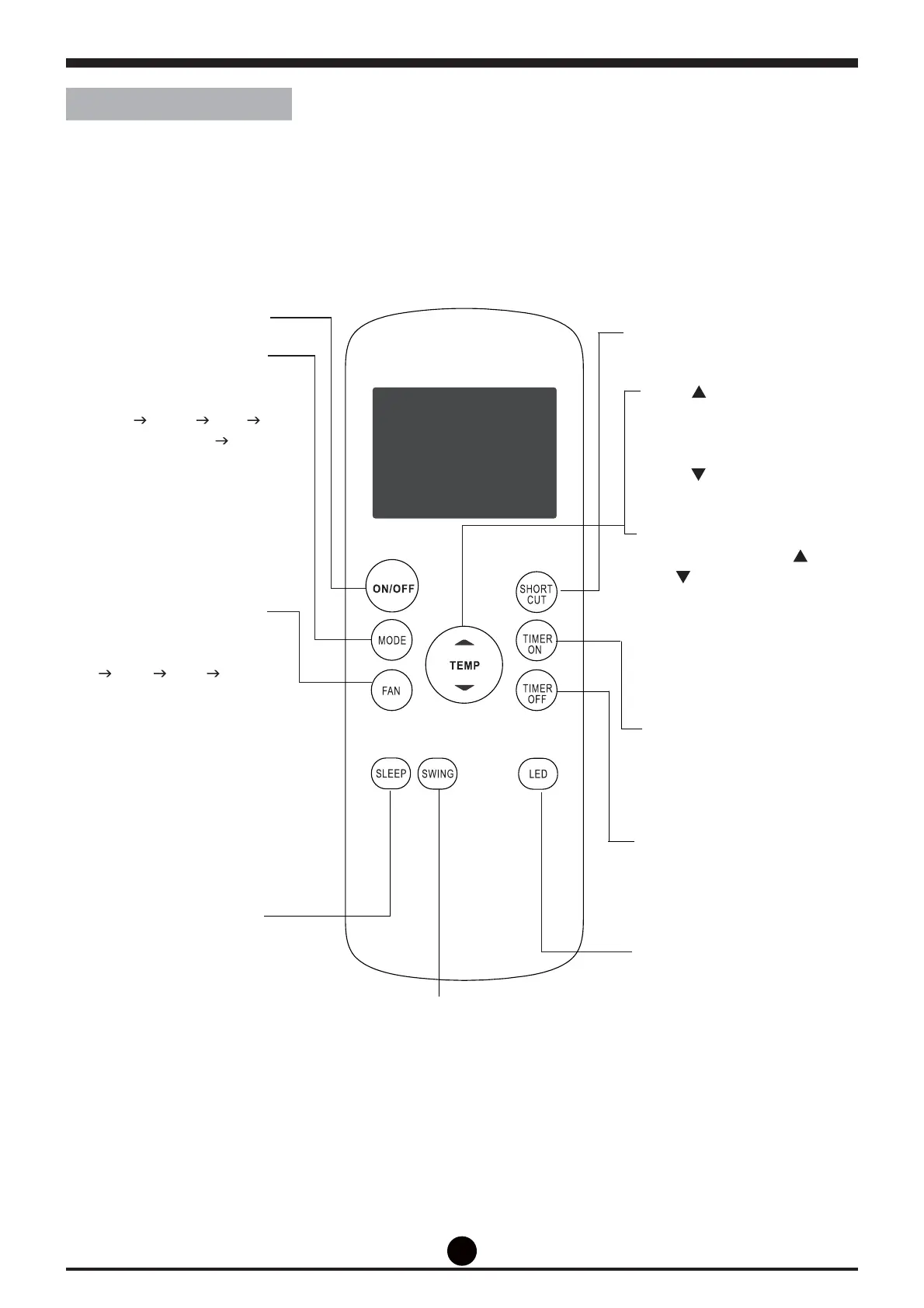
Before you begin using your new air conditioner, make sure to familiarize yourself with its remote control.
The following is a brief introduction to the remote control itself. For instructions on how to operate your
air conditioner, refer to the How to Use Basic Functions section of this manual.
ON/OFF
Turns the unit on or off.
SHORT CUT
Sets and activates your favorite
pre-settings.
TEMP
Increases temperate in 1°C
increments.
Max. temperature is 30 °C.
TEMP
Decreases temperate in 1 °C
increments.
Min. temperature is 17 °C.
NOTE: Press and hold
and buttons together for
3 seconds will alternate the
temperature display between
the °C & °F scale.
TIMER ON
Sets timer to turn unit on (see
How to Use Basic Functions
for instructions)
TIMER OFF
Sets timer to turn unit off (see
How to Use Basic Functions
for instructions)
SWING
Starts and stops louver
movement.
(MAC2650C, MAC3550C)
MODE
Scrolls through operation modes
as follows:
AUTO
COOL DRY
HEAT FAN
NOTE: Heating function not
available for MAC1510C,
MAC2010C, MAC2650C,
MAC3550C.
FAN SPEED
Selects fan speeds in the
following order:
AUTO
LOW MED HIGH
NOTE: MED
(only in MAC2650C, MAC3550C)
SLEEP
Saves energy during sleeping
hours
LED
Turns indoor unit's LED display on
and off.
If you are sensitive to light when
you go to sleep, you can press
the LED button to turn off the LED
display on the unit. Press the
button again to turn it back on.



 To Next Page