EasyManua.ls Logo

arovec H13 - Step-by-Step Filter Replacement

arovec H13
8 pages
Print Icon
To Next Page IconTo Next Page
To Previous Page IconTo Previous Page
Loading...
Step for Replacing the Filters
Follow these steps to replace the Filters:
1. 
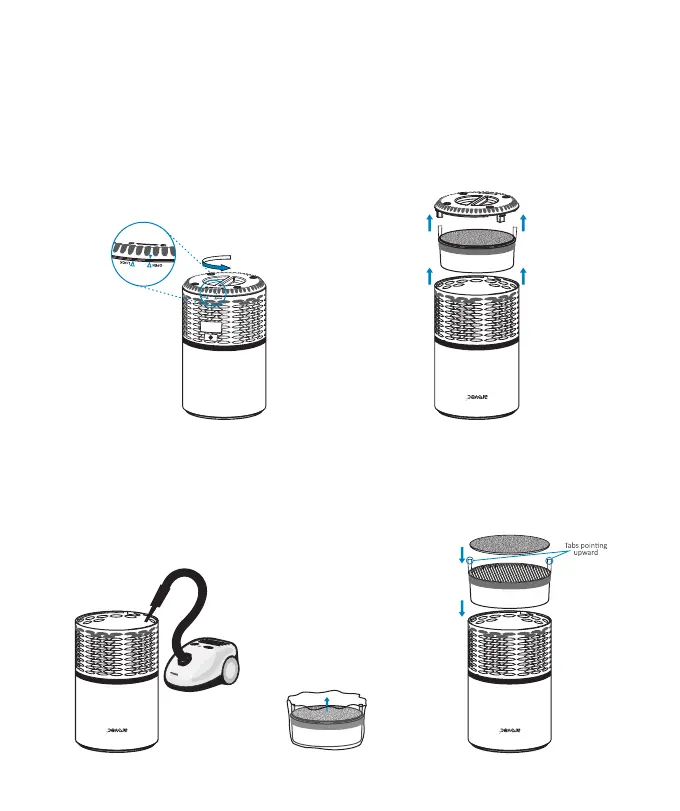
2. [Figure 1.1]
3.  [Figure 1.1]
4.  [Figure 1.2]
5.  [Figure 1.2]
6. 
DO NOT[Figure 1.3]
7. [Figure 1.4]
8.  [Figure 1.5]


Figure 1.1
Figure 1.3 Figure 1.4 Figure 1.5
Figure 1.2
5

Related product manuals