Need help?
Do you have a question about the Arrakis Systems ARC-8 and is the answer not in the manual?
Details on telephone support availability and limitations for the DHD-Live software.
Provides contact information, business hours, and location for Arrakis Systems.
Comprehensive safety guidelines and warnings for operating the ARC-8 console.
Explanation of hazard symbols and warning labels used on the ARC-8 console.
Details the terms, limitations, and duration of the ARC-8 console's warranty.
Terms and conditions governing the use of the ARC-8 console's software.
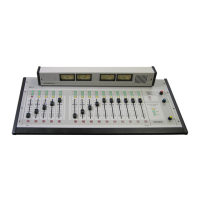
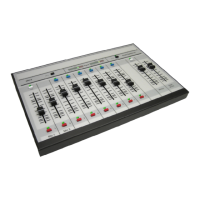
Detailed description of the ARC-8 console's key features and capabilities.
Explanation of the console's operational features and user interface elements.
Covers back panel diagram and Digilink-Xtreme software.
Key electronic and physical specifications of the ARC-8 console.
A rapid guide to begin operating the ARC-8 console's basic functions.
Details on operating microphone and line input channels.
Explanation of the control room monitor and headphone cue systems.
Description of the console's VU meters and how to monitor program output.
Procedure for unpacking the console, checking contents, and initial setup considerations.
Guides through the essential steps for connecting and testing the console.
Instructions for connecting various peripherals like monitors, microphones, and hybrids.
Guide for setting up the PC connection and performing basic console calibration.
Overview of the DHD-Live software, its purpose, installation, and updates.
Guidelines for qualified technicians on console repair and modular replacement.
Procedure for safely accessing, disassembling, and replacing console components.
Information on obtaining factory service, warranty claims, and part replacement.
Step-by-step guide to pair cell phones, tablets, or other Bluetooth devices.
Instructions for connecting various devices and using Bluetooth features.
How to stream audio, unpair devices, and manage Bluetooth connections.
Summary of pairing, modes, and common issues for Bluetooth connectivity.
 General
| Audio Channels | 8 |
|---|---|
| Bit Depth | 24-bit |
| Phantom Power | Yes |
| Connectivity | USB |
| Type | Audio Interface |

 To Next Page