Due to COVID-19, we are taking additional precautions to protect you
and our technicians. This means that we are performing installations
following safety protocols that include wearing protective equipment,
maintaining social distancing and asking you to assist—as needed—with
tasks such as plugging in and activating equipment. In addition, for the
safety of our technicians, we are asking our customers to wear a face
mask or face covering during installation appointment.
Below is a visual guide for reference. For more help
managing your account and products from the safety of
your home, please visit frontier.com/onlinehelpnow.
FiOS
®
by Frontier
®
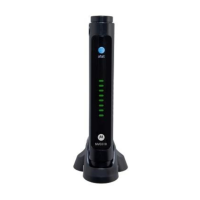
Router and
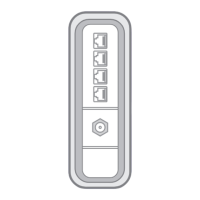
Optional MoCA
Adapter
Arris NVG468MQ
Arris MEB1100
Your guide to a
safety-first install
YOUR ROUTER: Your router can be configured in different ways. Our
technician will let you know if you need to take any of the steps below.
New Customers configured with a MoCA Adapter:
A. Connect the MoCA Adapter and the Router
1
Connect a Coax cable from the wall jack to the side of the Splitter (Coax In) with a single port.
2
Connect the second Coax cable to one of the remaining ports on the Splitter (Coax Out) and then to the port on
back of the MoCA adapter labeled ONT Broadband.
3
Connect the third Coax cable to a remaining port on the Splitter and then to the port on the back of the Router
labeled Cable Line.
4
Connect the Ethernet Cable to the RED port on the MoCA adapter labeled RG Broadband and then to the RED
port on the Router labeled ONT Broadband.
5
Connect the USB cable to the port on the MoCA adapter labeled Power and then to the port on the Router
labeled USB.
1
2
3
4
Coax
Splitter
Coax
Coax
USB
MoCA
Adapter
Ethernet
Router
STB
Coax
(if used)
5
New Customers configured without a MoCA Adapter:
A. Connect the Router
1
Connect one end of the WHITE Ethernet cable to the Ethernet port on your wall (or the Optical Network Terminal
(ONT) if the Router is located next to the ONT). Next, connect the other end of your cable to the RED Ethernet port
labeled “ONT” on your router.
2
Connect a Coax cable from the wall jack to the port on the back of the Router labeled “Cable Line” if subscribed to
TV service.
Coax
Ethernet
1
2
B. Connect Power to the Router
Plug the power adapter into the port labeled “Power” on the router and then plug the power adapter into a
power outlet. Press the “ON/OFF” button on the back of the router to turn it on.
C. Check for Internet Connectivity
The Internet light on the front of the FiOS Router will become solid BLUE once you have Internet connectivity.
If after several minutes the light is not solid BLUE, check the troubleshooting steps on the back of this guide.
IMPORTANT: To finalize your installation, you will need to go to frontier.com/activate to complete your
acceptance of our terms of service.
B
C

 Need help?
 General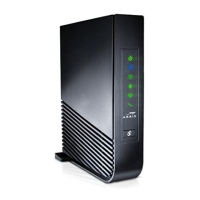

 To Next Page