INSTALLATION and OPERATION:
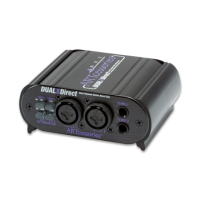
1. Connect your instrument, line, or speaker level
signal to either of the INPUT 1 or 2 1/4" TRS phone
jacks or female XLR connectors. Connect one end of a
phone jack cable to the corresponding THRU 1/4' TRS
phone jack and the other end to where your signal was
going to, if connecting the DUALXDirect inline in the
signal path. Repeat for the other INPUT and THRU
jacks if desired.
2. Connect a balanced line cable between the
corresponding OUTPUT 1 or 2 male XLR connector on
the rear panel and the balanced inputs of your audio
gear. Repeat for the other OUTPUT if desired.
3. If phantom power is not available, make sure a 9V
battery is installed and push the POWER switch in to
enable battery power. When using a battery for power,
be sure to turn the POWER switch off when not using
the unit in order to maximize battery life. If phantom
power is available, there is no need to push the POWER
switch in. Power is always applied from the OUTPUT
connectors, if present. A green LED lights if power is
coming from the OUTPUT 1 connector, a red LED lights
if power is coming from the OUTPUT 2 connector. Both
LEDs light if power is coming from both connectors.
4. Set the input ATTENUATOR switches for best
signal strength and clarity. Select the GROUND LIFT


 To Next Page
 Loading...