3
2
3
StartingtheCoreUnit
UsingtheBatteryBox
●UsesthreeAAbatteries.
●Batteriesmustbeinsertedwith
thecorrectpolarity.
●Removethebatteriesifthedevice
willbeoutofuseforanextended
periodoftime.
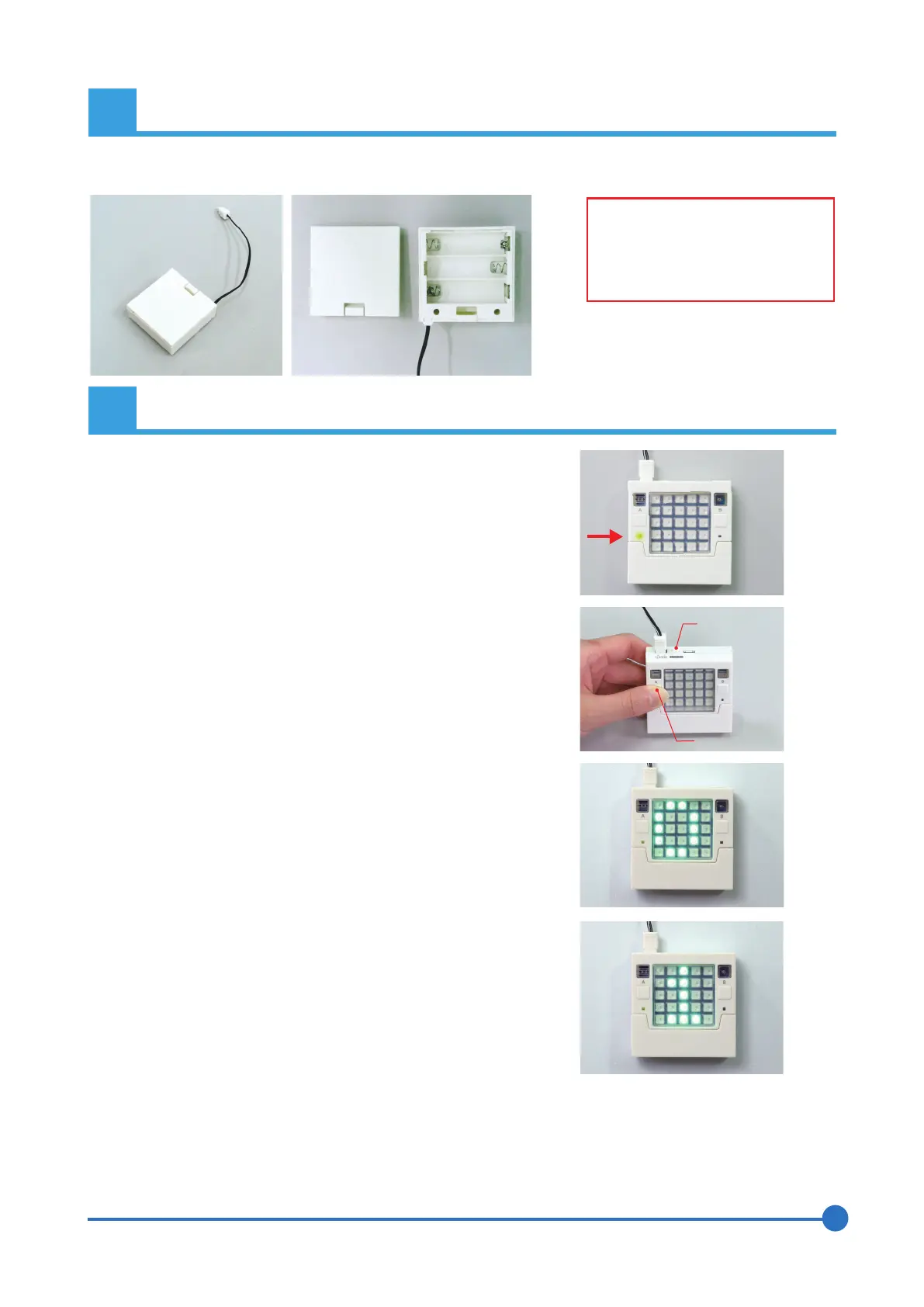
①Connectthepower(standardstart-up)
②GotoProgramSelectMode
ResetButton
AButton
③ProgramSelection/Start-Up
TheBatteryBoxplugsintothepowerconnector(markedBATT)ontheCoreUnit.TopoweraDCMotoror
Servomotor,powermustbesuppliedviathepowerconnectorontheRobotExpansionUnit(seepage7).
(1)PressingtheAbuttonwheninProgramSelectModewill
changethedisplayednumber(0,1,2,etc.).Thenumbercan
goupto9beforereturningto0.
(1)PlugtheBatteryBoxoraUSBcableintotheCoreUnit.
(2)ThepowerwillautomaticallyswitchONandthegreen
powerlightwillilluminate.
(1)HolddownAandpresstheresetbutton.Pressingthereset
buttonwillrestartthedevice,sothepowerlightwillturnoff
briefly.
(2)Ifthepowerlightturnsbackon3secondsafteryourelease
theresetbutton,thenreleasetheAbutton.
(3)Ifthedisplayshowsa0ingreenLEDs,youhaveentered
ProgramSelectMode.
(2)PressingtheBbuttonwhenanumberisdisplayedwillrun
theprogramthathasbeenassignedtothatnumber.
★Onfirststart-up,thedevicewillcontainsampleprograms
fortestingpurposes.
Pleasetestthisfunctionalitybeforeyoubeginprogramming
thedeviceyourself.
(Seepages4-5forinformationonthesampleprograms.)
★Downloadinganewprogramfromthesoftwaretooneof
theprogramslotswilloverwritethesampleprograminthat
slot.



 To Next Page
 Loading...
