Need help?
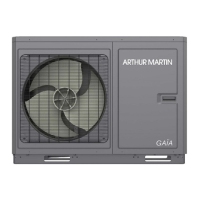
Do you have a question about the ARTHUR MARTIN GAIA AMPAC8M1 and is the answer not in the manual?
Overview of the main control panel interface and its icons for different modes and statuses.
Description of the menu screen layout, including navigation icons and their functions.
Instructions for turning the control panel and main unit on and off, including memory settings.
Guide to configuring various operational functions and modes of the heat pump system.
Setting the operating mode (Heat, Cool, Hot water, etc.) for the heat pump system.
Configuration for the fast hot water function, dependent on water tank availability.
Setting for simultaneous cooling and hot water operation, with availability depending on the water tank.
Configuration for combined heating and hot water modes, with specific availability based on unit type.
Adjusting the operational noise level, with options for off, timed, or always-on quiet operation.
Enabling and configuring weather-dependent temperature settings for optimized heating efficiency.
Setting up a weekly schedule for automated operation of the heat pump system.
Procedure for high-temperature disinfection of the water tank to eliminate bacteria.
Setting specific operating times and modes using a clock timer function.
Configuring timed temperature adjustments for different periods throughout the day.
Activating an emergency mode to switch to an alternative heat source during heat pump failure.
Setting an energy-saving holiday mode to maintain minimum temperatures and prevent frostbite.
Programming custom operating modes for specific periods or events.
Procedure for manually clearing system errors to enable heat pump startup.
Resetting all user parameter settings to default values.
Enabling or disabling the child lock feature to prevent unintended operation of the control panel.
Overview of parameter settings, including T-HP max, with notes on defaults and memorization.
Checking the real-time operational status of various components like compressor, fan, and pumps.
Viewing detailed operational parameters and sensor readings of the main unit.
Displaying and diagnosing system errors and fault codes for troubleshooting.
Reviewing a log of past system errors, including their occurrence time and sequence.
Checking the software and protocol versions of the control panel for updates or compatibility.
Monitoring monthly and yearly energy consumption patterns of the heat pump unit.
Setting the system date and time for accurate operation and logging.
 General
| Brand | ARTHUR MARTIN |
|---|---|
| Model | GAIA AMPAC8M1 |
| Category | Control Panel |
| Language | English |

 To Next Page