2
HDMI cable
USB-C to USB-C cable
USB-C to USB-A cable
Cleaning cloth
Glove
Connecting the Product
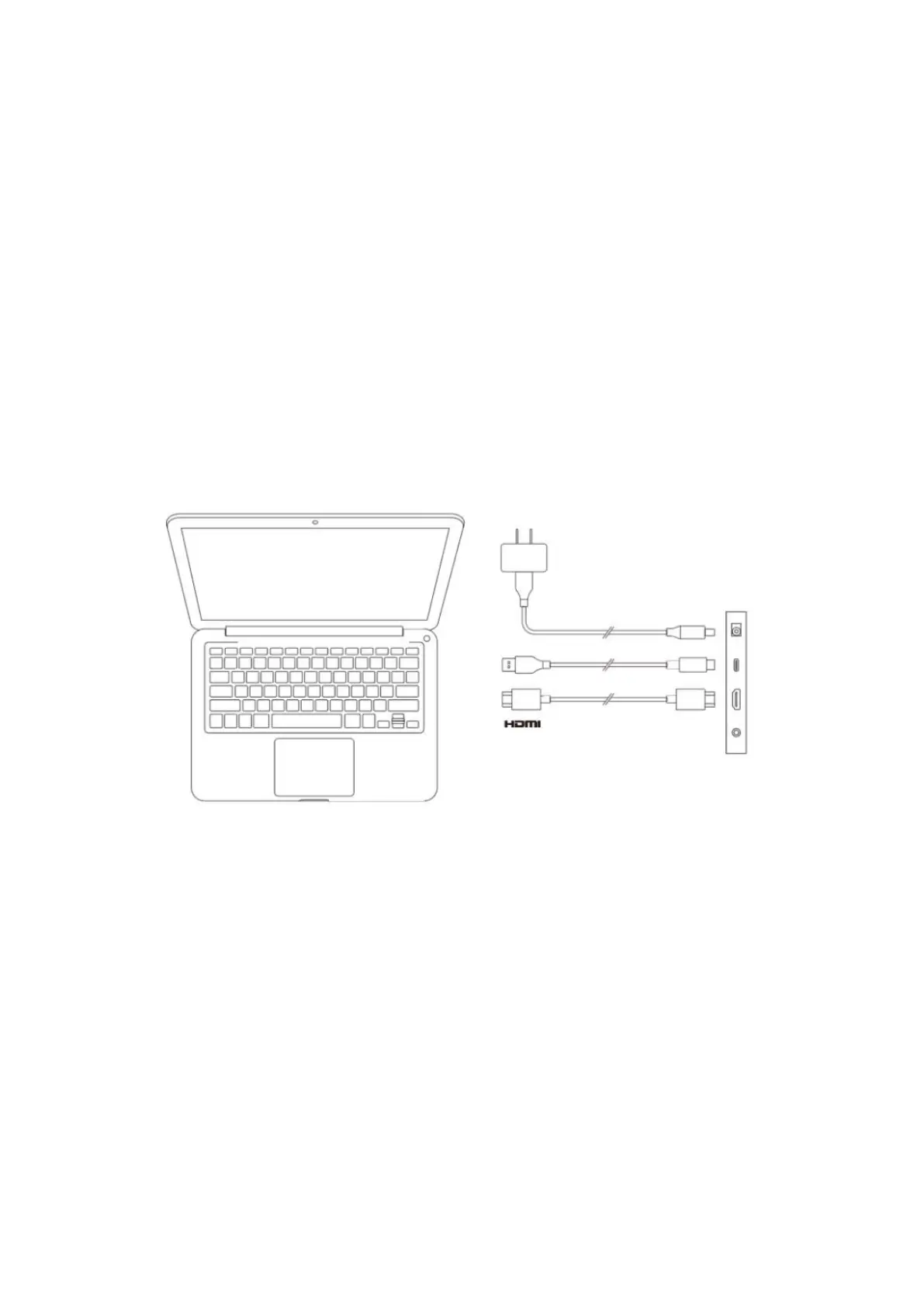
1. HDMI Connection
Connect the drawing display to your computer's HDMI and USB ports using the HDMI and
"USB-C to USB-A" or "USB-C to USB-C" cables. Then connect the power cable to a power
outlet.
* The terms HDMI and HDMI High-Definition Multimedia Interface, and the HDMI Logo are
trademarks or registered trademarks of HDMI Licensing Administrator, Inc. in the United States
and other countries.
2. USB-C Connection (for full-featured USB-C ports)
Connect the drawing display to your computer's USB-C port using the "USB-C to USB-C"
cable. Then connect the power cable to a power outlet.


 To Next Page