6
7
Using Your Device
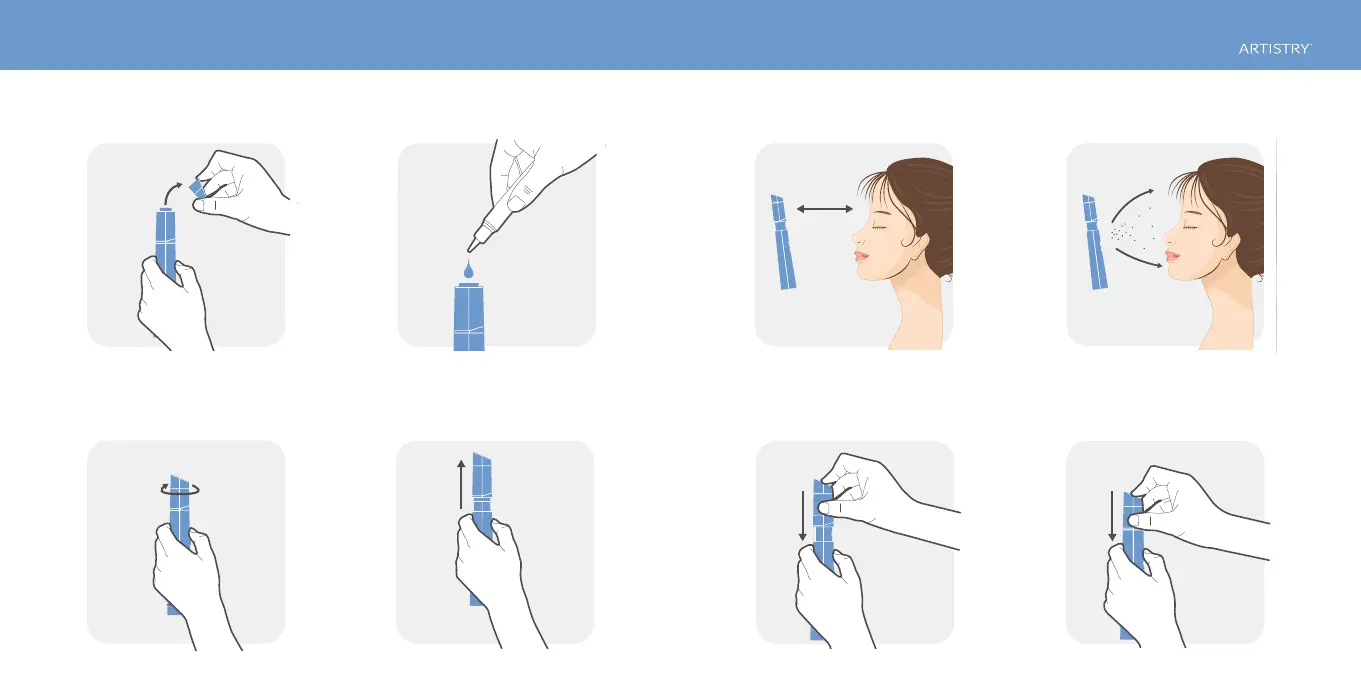
1. To rell with Artistry Hydra-V™ Essence Mist, turn
the device cover counterclockwise to open.
2. Fill with Artistry Hydra-V™ Essence Mist only. 6. Mist will dispense for seven seconds. Push again
for additional mist. To stop mist, lightly push
Cleansing button.
4. Push the Mist button. Essence Mist container
will pop up and begin dispersal.
8. Note: Batteries will remain active if Essence Mist
container is left in the “up” position.
3. Place the Essence Mist into the device and lock
clockwise. Be sure the Essence Mist cover is closed
to avoid leakage.
7. Power is switched off when the Essence Mist
container is pushed back down.
5. Be sure Mist Device is about 4 inches from face.



 To Next Page