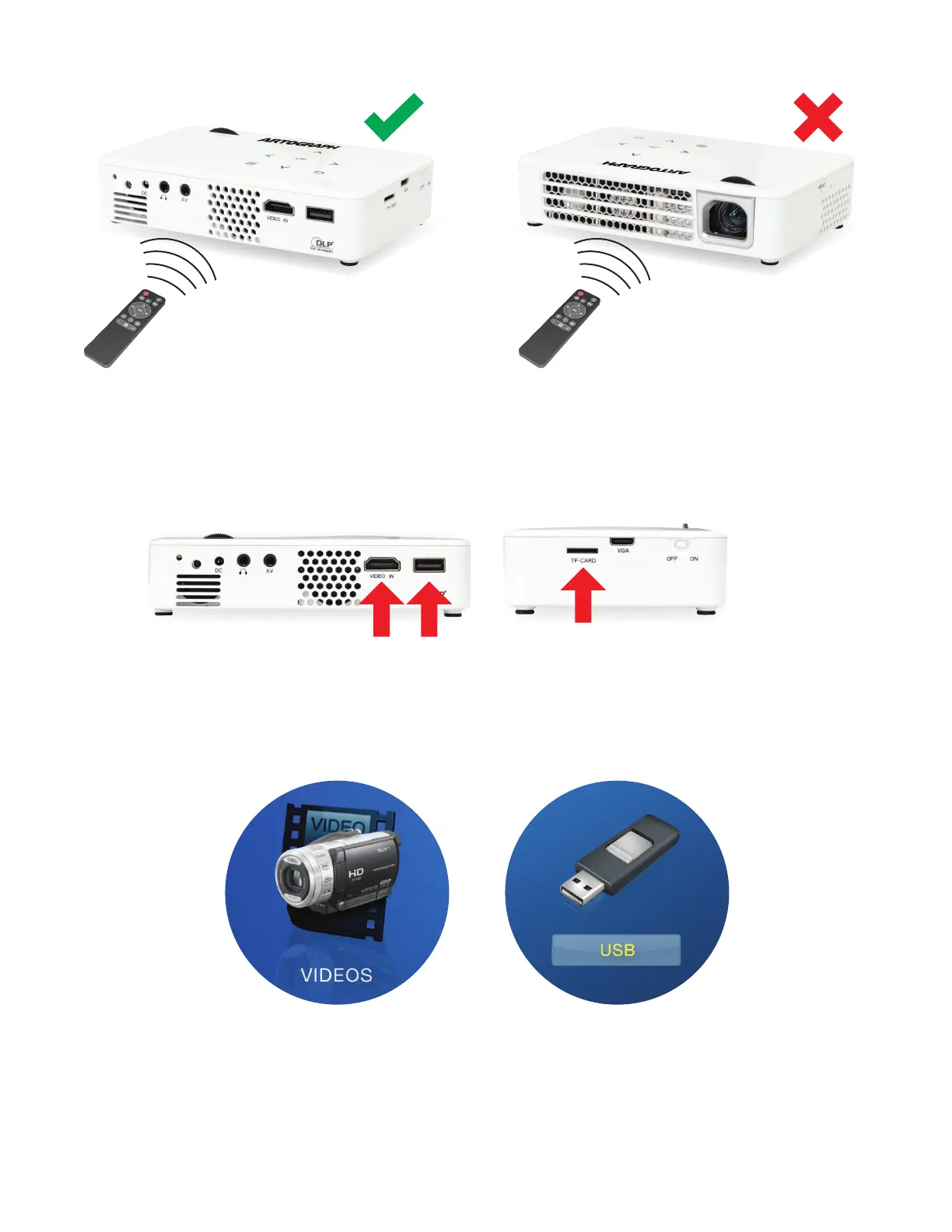
Please note the remote must be pointed at the receiver on the back of the projector to
function properly.
3. Loading files to the Flare 450:
You have three options to load files onto the projector: USB drive (included), HDMI cable
(included), or TF-Card (not included).
For files loaded using a USB drive or TF-Card, the next step is to determine what kind
of file you are trying to project. If it’s a video file, click on the “VIDEOS” icon in the main
menu, then the picture of a USB drive.
If your files are in the correct format
1
, you will then see them displayed on the screen.
1
Video files must be MP4 or AVI.



 To Next Page