
 Need help?
Do you have a question about the Artone 3 MAX and is the answer not in the manual?
Artone 3 MAX compatibility with hearing aids and cochlear implants with t-coil.
Defines the operational distance for Bluetooth connectivity, up to 30 feet (10M).
Details necessary Bluetooth profiles (A2DP, AVRCP, HSP) for music, remote, and phone.
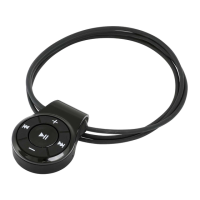
Identifies physical components and controls of the Artone 3 MAX Bluetooth Loopset.
Instructions for charging the device, including battery life and LED indicators.
Explains LED indicators for charging status and low battery levels.
Steps for turning on, entering pairing mode, and connecting to a mobile phone.
How to receive, end, reject calls, redial, and activate voice dialing.
Controls for playing music, pausing, track skipping, and volume adjustment.
Instructions for connecting and managing two mobile phones simultaneously.
Steps to resolve issues when connecting the Artone 3 MAX to Bluetooth devices.
Procedure for resetting the Artone 3 MAX to its default factory settings.
Guidance on troubleshooting if no sound is heard after successful pairing.
Important safety warnings regarding product handling, medical devices, and driving.
Covers warranty coverage, duration, and conditions for the Artone product.
Outlines limitations on warranty claims and available remedies for customers.
Specifies Artone's liability limits for defective products and consequential damages.
The Artone 3 MAX is a portable wireless listening assistive device designed for hearing aid and cochlear implant users. It integrates Bluetooth wireless technology to enhance audio experiences, particularly for phone conversations and music streaming.
The primary function of the Artone 3 MAX is to provide amplified and noise-free cell phone conversations and stereo music streaming for individuals with hearing aids or cochlear implants equipped with a t-coil function. It acts as a bridge between Bluetooth-enabled devices (such as cellular phones, personal computers, or tablets) and the user's hearing device. This allows users to receive audio directly into their hearing aids or implants, bypassing external noise and improving clarity.
The Artone 3 MAX features a user-friendly design with several buttons for control:
The Artone 3 MAX supports connecting to two mobile phones simultaneously, or one phone and an Artone TVB/TVB+ Bluetooth adapter/microphone.
Artone provides a one-year warranty against defects in materials and workmanship under normal use from the date of retail purchase. The warranty does not cover abuse, deliberate damage, negligent use, or damage exceeding normal product use. Claims require the purchase invoice and a manufacturer-stamped document. The exclusive remedy for a defective product is repair or replacement. Artone disclaims all other warranties, express or implied.
 General
| Brand | Artone |
|---|---|
| Model | 3 MAX |
| Category | Media Player |
| Language | English |

 To Next Page
