ARTURIA – PROPHET V - MANUAL
102
7.4.4 Playing mode in Unison
To give more intensity to your sound, we will apply the monophonic playing mode “UNISON”.
This allows you to play all the polyphonic voices on a single note.
You will have, for example, a sound having up to 20 oscillators “stacked” on a single note, if you
use 5 voice polyphony!
Open the choice window of the “PLAY MODE” by clicking on the button located on the LCD
screen.
Open Play mode
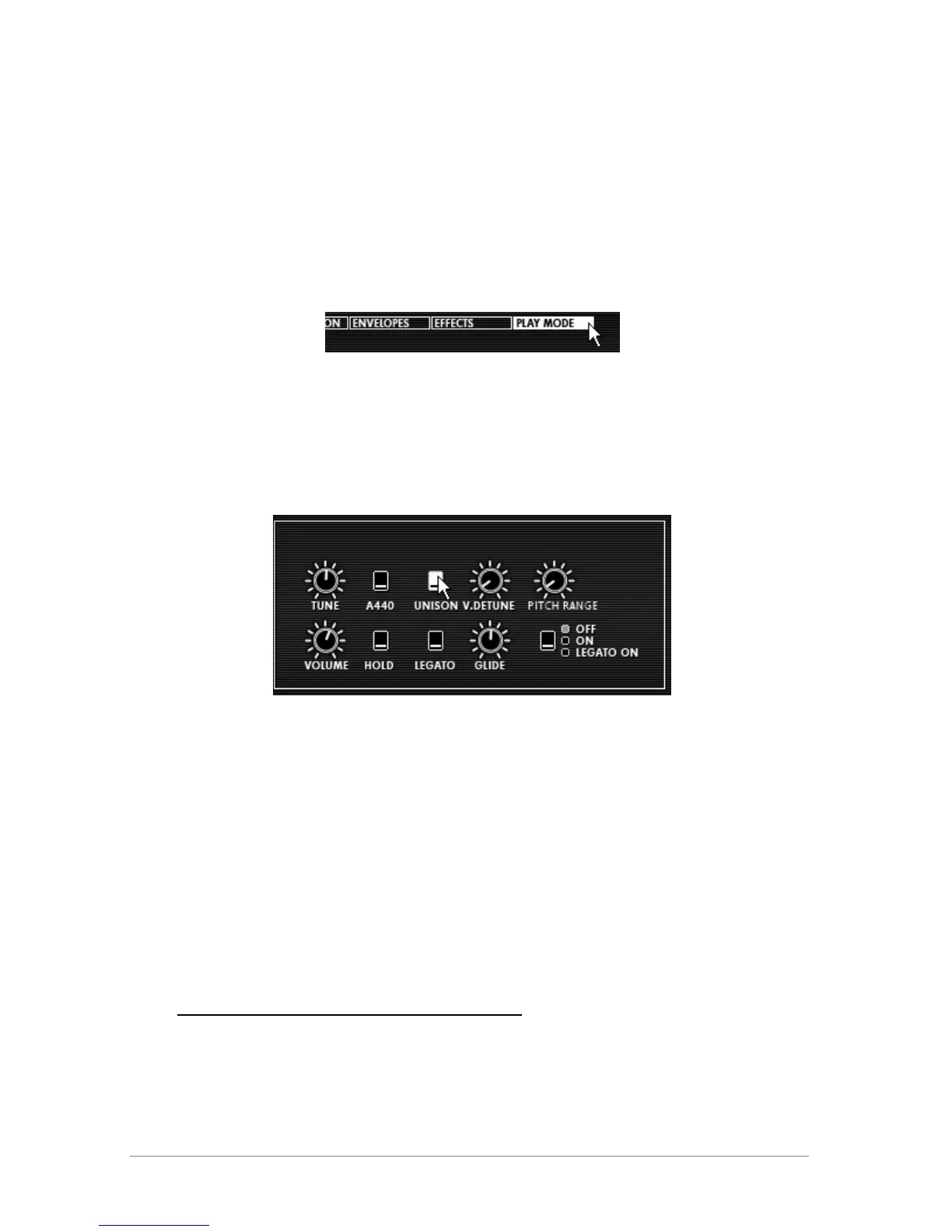
Click on the “UNISON” button to activate this mode (turns white upon activation)
Detune the different voices to give “fatness” to your sound. This manipulation will
produce an effect similar to that of a chorus! For this, turn the “V. DETUNE” knob to 80.
Settings of Unison Mode
At this point, you can also give stereo space to this preset by placing each of the polyphonic
voices to the right and than to the left, in an alternating pattern.
Click on the “VOICE” panel (found to the right of the name “AMPLIFIER”) to select the
polyphonic voice 1. Set the “PAN” knob on 0. This voice will be placed to the extreme
left.
Choose the second voice and set it at 99. This will be placed to the extreme right.
Set the other voices as you like them by doing the same thing.
By doing this, you will have a lot of stereo space without using as much effect!
7.5 Preset using the Prophet 5 and the Prophet VS
The goal of this last section is to familiarize yourself with sound creation using both the Prophet
5 and Prophet VS in Hybrid mode.














 To Next Page