ARTURIA – PROPHET V - MANUAL
108
8 Modes of Operation
8.1 Stand-alone
The Stand-Alone application allows the use of the Prophet V outside of any host application.
You can open one or several instruments, and play directly with the help of a master MIDI
keyboard or external sequencer on a separate computer.
8.1.1 Launching the Stand-alone application
To launch the Stand-alone application on your PC, go into the Start menu->Programs->Arturia->
Prophet V and choose Prophet V.
On a Macintosh, open the folder / Applications/ Arturia Prophet V / and double click on the
application icon Prophet V.
You can also double-click on a previously saved document in order to open the corresponding
configuration of the Prophet V application. This will be described in Section 1.6 of this
document.
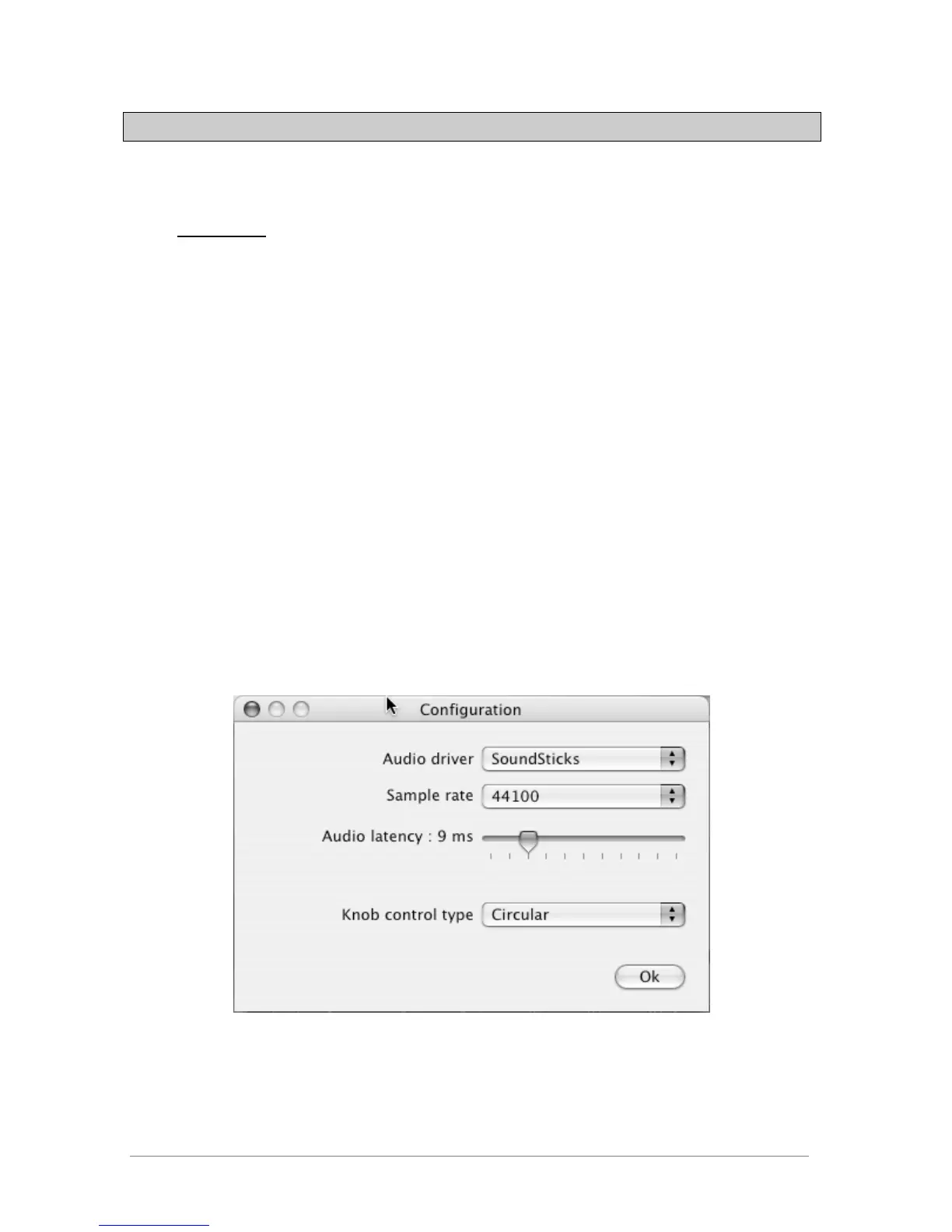
8.1.2 Preference Configuration
In order to access the preferences window, click on the menu Document-> PC Preferences, or
Prophet V ->Preferences on Macintosh. This window allows you to configure the global
preferences of the Prophet V application. These are saved automatically.
The preference window














 To Next Page