ARTURIA – PROPHET V - MANUAL
19
In the Prophet V, a preset contains all the parameter settings of the synthesizer and various
real-time controllers (ex: velocity, aftertouch, pitch-bend) as well as the effects (delay, chorus)
necessary to reproduce the sound.
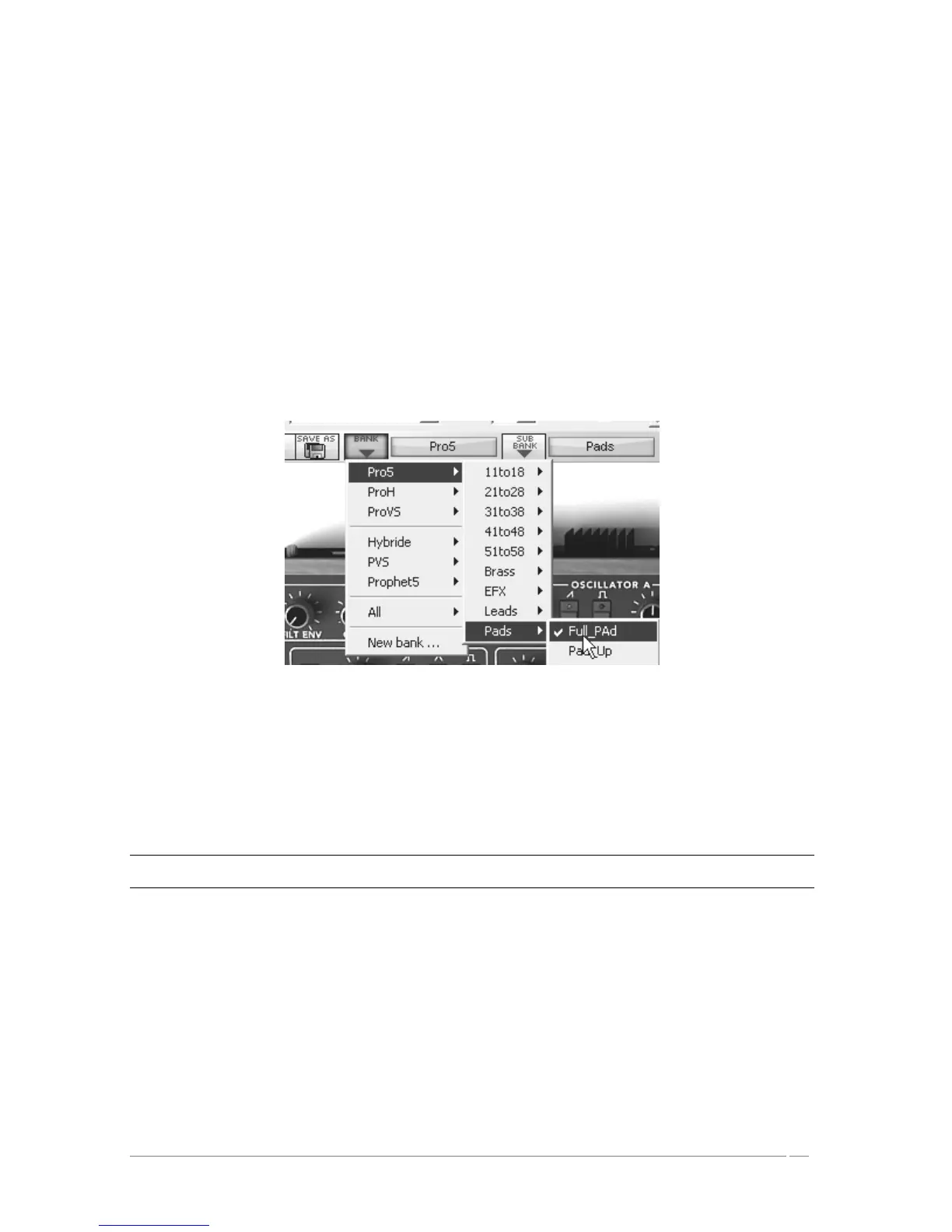
To become more familiar with the various sounds offered in the Prophet V, we are going to
select the preset “Full_Pad” in the bank “Prophet 5/ Pads”.
To do this, click on the selection screen situated above the interface labeled “BANK” (this
screen represents the name of the bank being used). By clicking, you will see the drop
down menu indicating the available banks appear. Choose the bank “Prophet 5” (the
name of the preset is checked).
When the menu is open, the sub menus are accessible. These submenus will allow you to
access the “SUB BANK” and the “PRESETS” of a sound designer in a single click.
Choose the “SUB BANK” “Pads” then select ““Full_Pad”” among the “PRESETS”. This
sound is a very simple pad played with the Prophet 5 emulation.
Select the preset
The Prophet V is delivered with 400 presets that allow you to become acquainted with the
sounds of the synthesizer. A bank named « User/ Temp » offers a selection of presets giving the
possibility to use a template to begin programming a sound. (The sound “1_Osc”, for example,
is presented with: an oscillator connected to the low pass filter, this signal then being routed to
the VCA).
It is also possible to view all the presets corresponding to a type of sub-bank by choosing the « ALL » option in the
bank. For example, to see the ensemble of Bass presets, click « ALL » in the selection of the bank then on “Pads”.
3.1.2 Now, lets edit the preset
To edit a preset, we are going to start really simply.
Edit the brightness of the “Full_Pad” sound with a “CUTOFF” knob of the filter. To do
this, turn the knob to the right or the left. The timbre of the sound will become more or
less bright. Change the knob to your liking.














 To Next Page